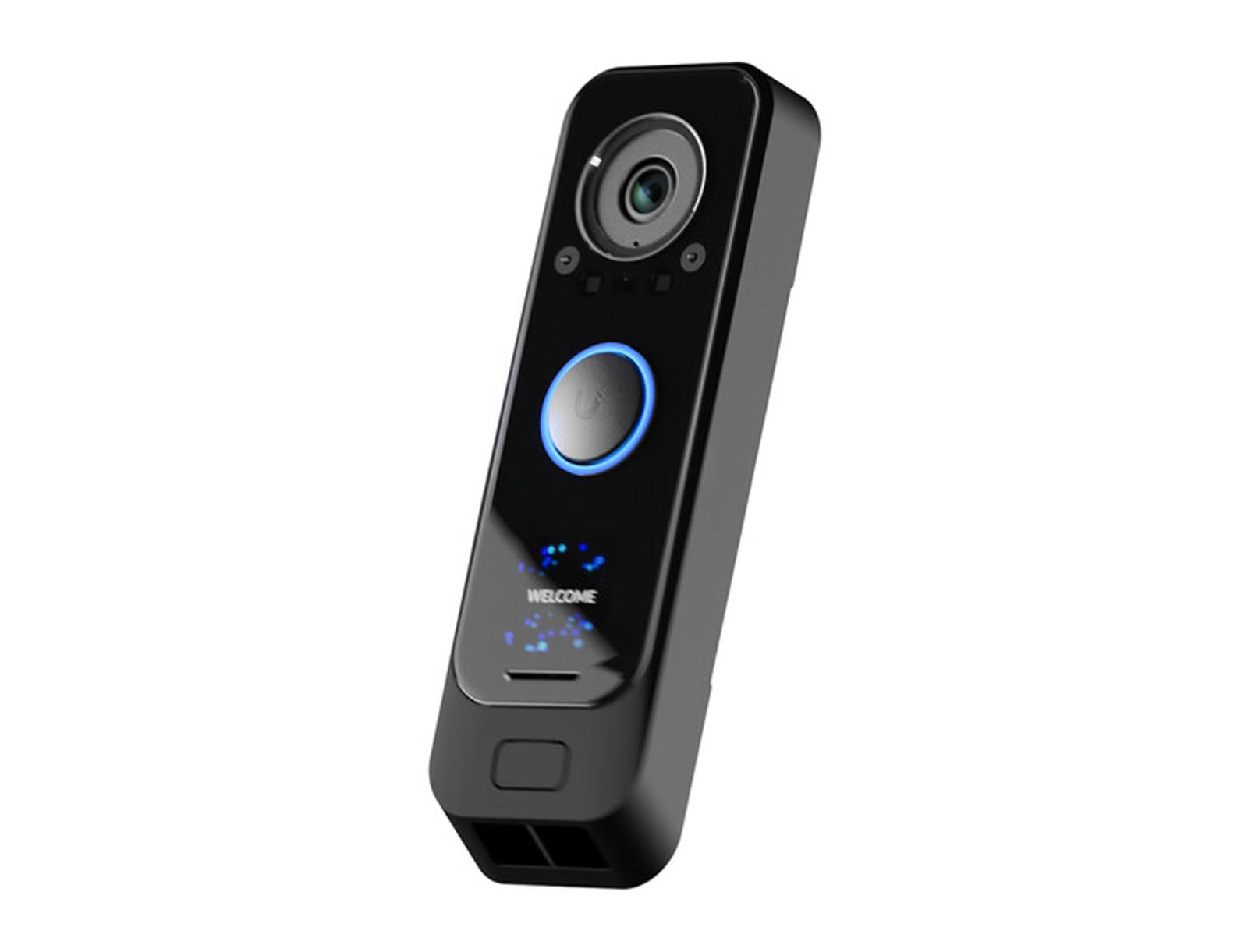
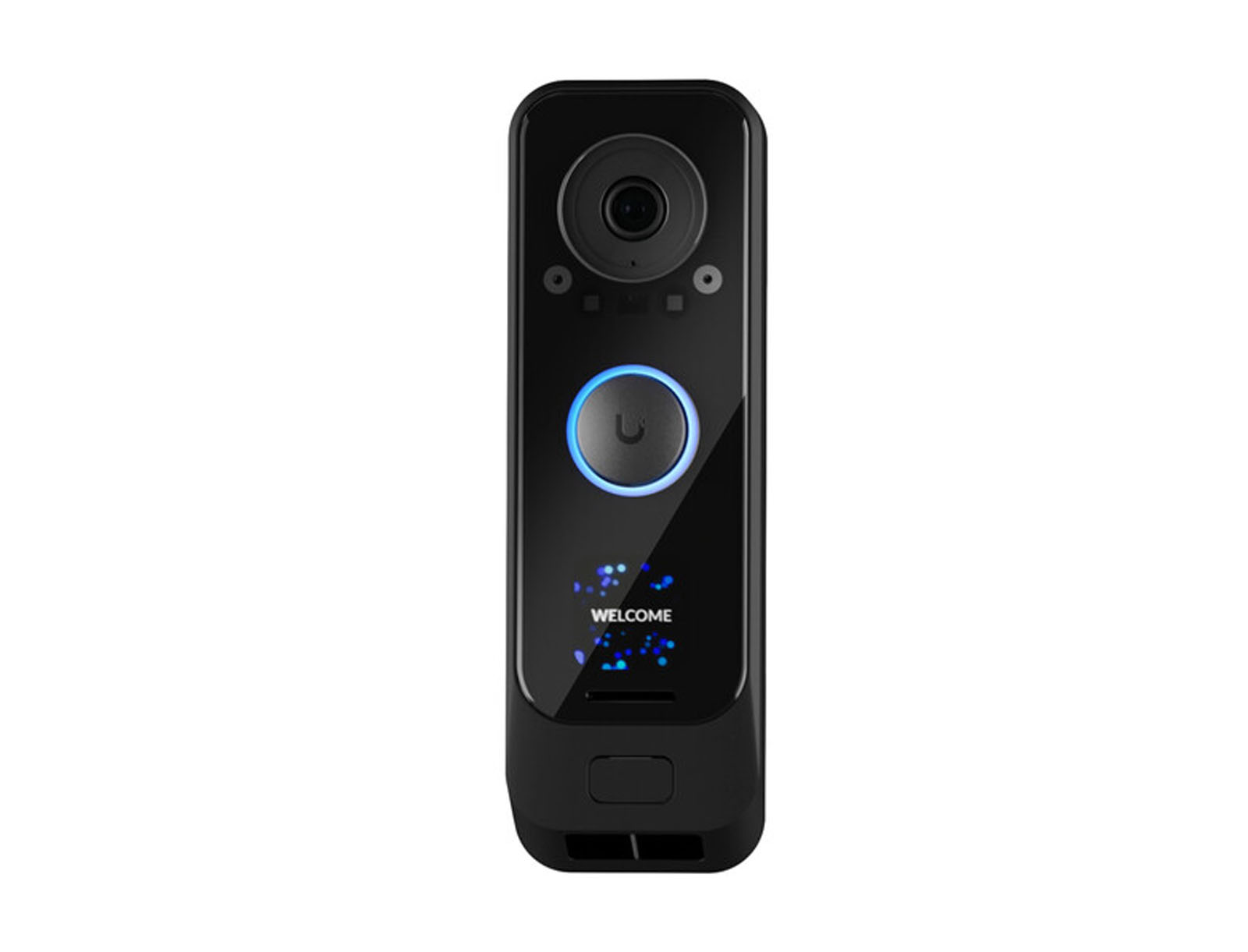
The UniFi G4 Doorbell Pro is our preferred doorbell camera for short-term rentals—if you’re already using the UniFi ecosystem.
That’s an important qualification.
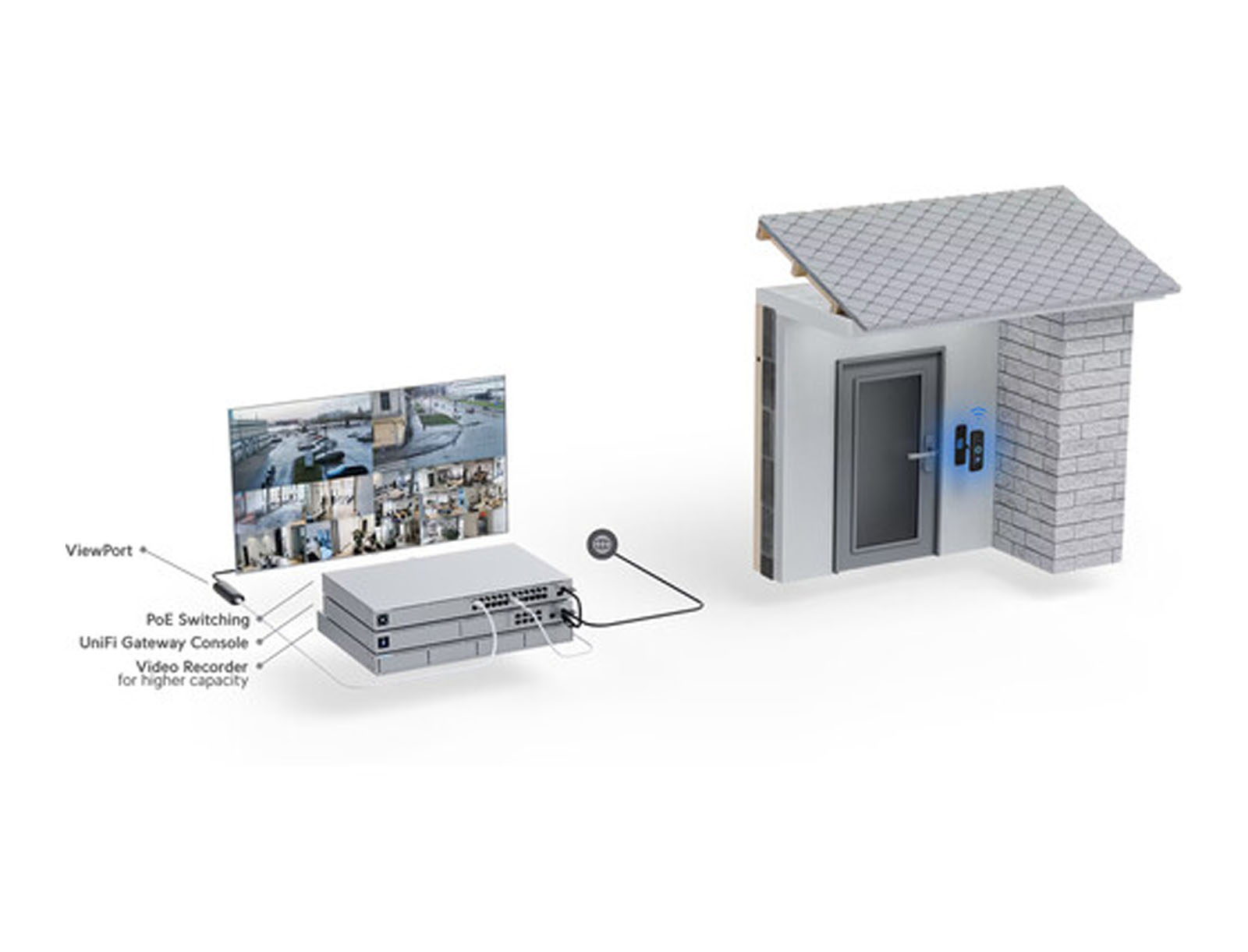
The Doorbell Pro isn’t a stand-alone consumer camera like many competing video doorbells. It needs a UniFi Console running UniFi Protect to store recordings and manage the camera.
For someone installing a single doorbell at a property with no other UniFi equipment, that additional hardware can make the system difficult to justify.
But if you’re already using UniFi networking or Protect cameras at your rental, the decision becomes much easier.
The hardware is excellent, recordings are stored locally, there are no recurring licensing fees, the main camera provides a clear view of the entrance, a second downward-facing camera watches the package area, and UniFi Protect gives the owner useful remote alerts and playback.
We’ve been very happy with ours.
Why We Like Doorbell Cameras for Short-Term Rentals
Cameras require more thought in a rental property than most smart-home devices.
Our preference is to keep cameras outside and use them only where they provide a clear operational or security benefit.
A front-door video doorbell is one of the most logical locations.
It’s obvious.
It’s outside.
And its purpose is easy for a guest to understand.
For a remote property manager, it can provide useful visibility into the primary entrance without placing cameras around the property.
That said, exterior cameras still need to comply with the rules of the booking platform you’re using and applicable local laws.
We consider disclosure part of properly installing any camera at a rental property.
Our Experience With the G4 Doorbell Pro
Our experience with the UniFi G4 Doorbell Pro has been very positive.
The hardware feels substantial, the camera has been reliable, notifications are useful, and everything fits naturally into UniFi Protect.
Once it is installed and connected properly, there really isn’t much to manage.
That’s what we want from rental-property hardware.
We can remotely see what’s happening at the entrance, review recorded events when necessary, and receive alerts even when we’re nowhere near the property.
The biggest complications we’ve encountered haven’t been with the doorbell itself.
They’ve been installation details, mounting options, and making sure Wi-Fi coverage at the exterior door is strong enough.
Two Cameras Are Better Than One
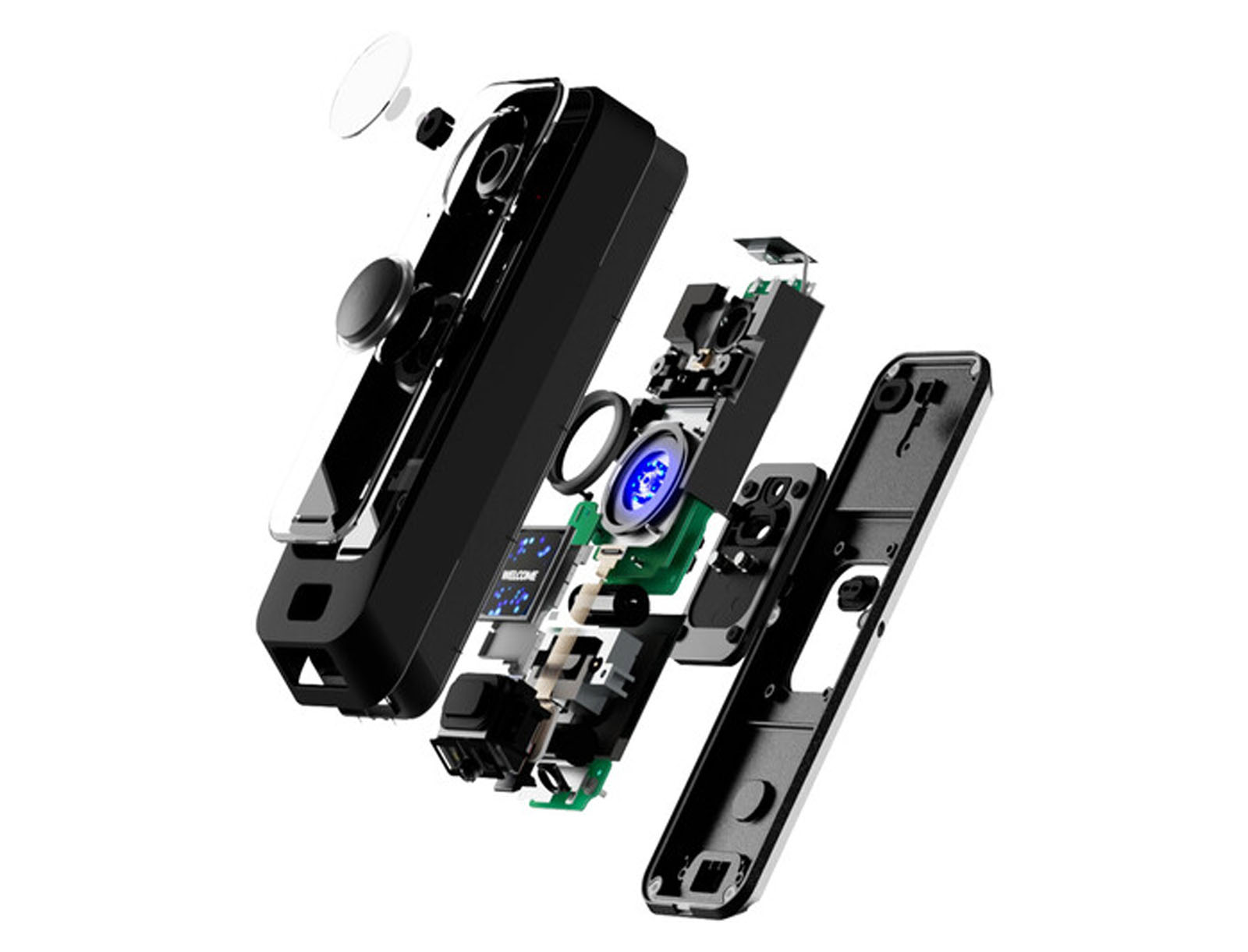
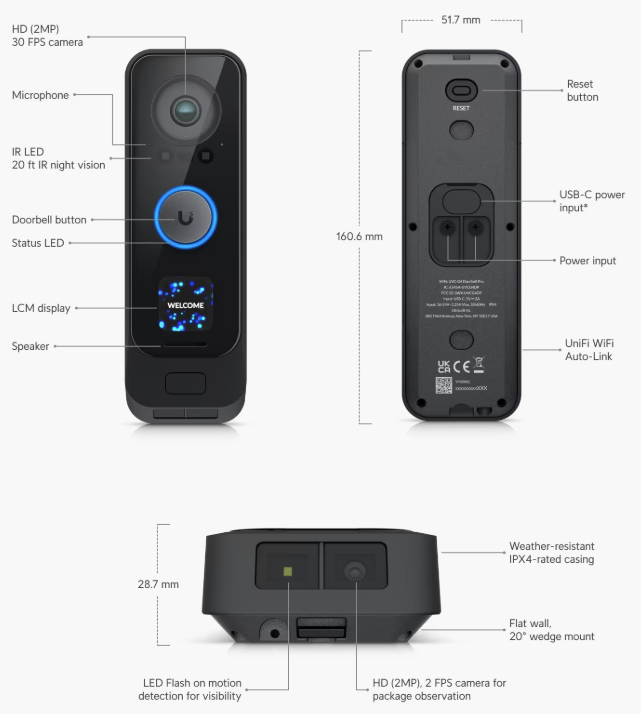
One of our favorite features is the dual-camera design.
The primary camera looks outward and gives you the normal doorbell-camera view of someone approaching or standing at the entrance.
The second camera points downward toward the doorstep.
That second view is particularly useful for packages and anything located immediately below the main camera’s field of view.
A traditional doorbell camera can have a surprisingly large blind spot directly beneath it.
The G4 Doorbell Pro solves that problem elegantly.
No Monthly Subscription
This is one of the biggest reasons we prefer UniFi Protect.
Many consumer security-camera ecosystems become ongoing subscription services.
You buy the hardware, but features such as extended recordings, cloud storage, smart detections, or useful history may require another monthly plan.
UniFi Protect takes a different approach.
Your recordings are stored locally on the UniFi hardware at the property, and Protect does not require camera licensing fees.
That means the initial system may cost more, but we’re not adding another recurring monthly charge to every rental property.
Over several years—and particularly if you’re operating multiple cameras—the economics become increasingly attractive.
We also like retaining control over where the video is stored rather than making cloud storage the foundation of the system.
The Catch: You Need the UniFi Ecosystem
The downside to that model is that the Doorbell Pro can’t simply operate by itself.
You need a UniFi Console capable of running UniFi Protect.
That might already be part of your network architecture if you’re using UniFi equipment at the property.
For us, that isn’t a major disadvantage because we’ve increasingly been using UniFi networking and security equipment in our rental properties anyway.
If you already have Protect running, adding the Doorbell Pro makes a lot of sense.
If you don’t own any UniFi equipment and only want a single video doorbell, the economics are much less compelling.
You shouldn’t buy an entire UniFi Protect system solely because this is a good doorbell unless the rest of the ecosystem also makes sense for your property.
Installation Is Mostly Straightforward
The physical installation of the doorbell itself isn’t especially difficult.
The more frustrating part can be adapting the existing doorbell wiring, transformer, and chime.
Our installation uses the traditional doorbell wiring routed through the existing chime circuit, although we aren’t actually using that mechanical chime for notifications.
That part of the installation was more cumbersome than mounting and adopting the Doorbell Pro itself.
Ubiquiti supports several current installation approaches.
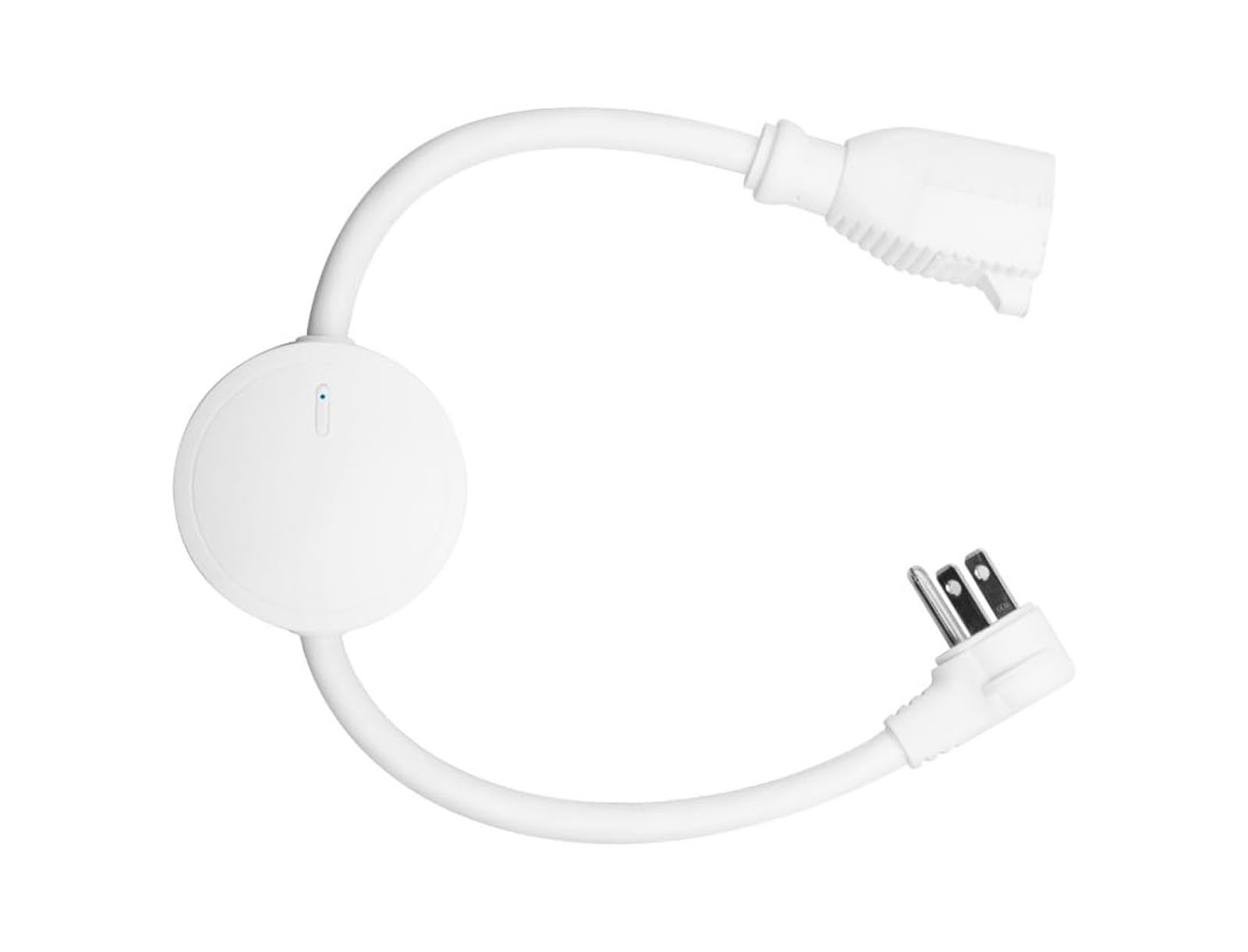
The Wi-Fi G4 Doorbell Pro can be powered from a compatible 16–24V AC transformer, and UniFi also offers power and chime alternatives that can avoid some of the complexity of integrating an old mechanical chime.
If you’re starting from scratch rather than replacing an existing doorbell, we’d look carefully at the available power options rather than automatically reproducing traditional doorbell wiring.
Mounting Options Could Be Better
One thing we were disappointed with was the limited mounting flexibility included with the doorbell.
Our entrance required a more aggressive angle than the included mounting hardware provided.
We ended up finding someone on Etsy who could make a custom angled bracket specifically for our installation.
That solved the problem nicely.
But considering the price and the range of entryway configurations found in real houses, we wish UniFi offered more mounting-angle options directly.
Doorways aren’t always conveniently positioned so that a flat mount or basic wedge provides the field of view you want.
This isn’t a major flaw in the hardware.
It’s simply something you may need to solve during installation.
Smart Alerts Are Useful When You’re Remote
UniFi Protect can generate alerts from detected activity around the entrance.
For a rental owner, that’s much more useful than simply having a live camera feed.
We’re not sitting around watching the doorbell camera.
The value comes from the system notifying us when something potentially relevant happens.
The Doorbell Pro supports smart detections for categories such as people, vehicles, and animals.
That makes notifications more useful than a simple motion detector that alerts every time a tree branch moves.
This is particularly valuable for owners who may be hundreds of miles away from the property.
Local Video Storage Is a Major Advantage
Another reason we like Protect is its storage architecture.
Video recordings remain on the UniFi Console at the property rather than being uploaded by default to a cloud-video service.
Ubiquiti also performs much of its Protect detection processing locally.
For us, that’s a better architecture for security cameras.
It gives the property owner more direct control over recordings and retention while still allowing secure remote access through the Protect application.
It’s also what makes the subscription-free model possible.
The tradeoff is that you’re responsible for having the UniFi storage infrastructure in place.
Exterior Doesn’t Mean Privacy Doesn’t Matter
We think a front-door camera is one of the most reasonable cameras to install at a short-term rental.
But we wouldn’t say that putting it outside automatically eliminates privacy concerns.
Placement matters.
Disclosure matters.
What the camera can see matters.
And booking-platform policies matter.
For example, a doorbell camera pointed toward the driveway and entrance is very different from an exterior camera pointed into a hot tub area or enclosed outdoor shower.
Our goal is visibility into the entrance—not surveillance of guests during their stay.
We recommend disclosing the camera clearly in the rental listing and periodically confirming that your setup continues to meet the rules of every platform where the property is listed.
UniFi Doorbell Pro vs. Consumer Doorbells
The biggest difference between UniFi and typical consumer doorbells isn’t necessarily the camera itself.
It’s the architecture.
A consumer doorbell is often easier to buy and install as a one-off product.
You create an account, connect the doorbell, subscribe to whatever cloud plan you need, and you’re done.
UniFi requires more infrastructure upfront.
But once that infrastructure exists, adding cameras becomes much more attractive.
You get local recording, centralized camera management, smart detections, remote access, and no recurring Protect camera licensing fees.
For one doorbell, that’s a tradeoff.
For an entire rental-property network and security system, we strongly prefer the UniFi approach.
What About the ecobee Smart Doorbell Camera?
We’ve also tested the ecobee Smart Doorbell Camera.
It’s a capable product and may make more sense for owners who aren’t using UniFi.
But between the two, we prefer the UniFi Doorbell Pro.
The dual-camera design is useful.
The Protect ecosystem is substantially more capable as a complete surveillance platform.
And we prefer UniFi’s local-storage model without an ongoing Protect licensing fee.
If you’re already committed to ecobee (with an ecobee thermostat) and want a simpler consumer-oriented installation, the ecobee doorbell can still make sense.
If we’re building the property around UniFi, we’re choosing the Doorbell Pro.
Who Should Buy the UniFi Doorbell Pro?
We recommend the G4 Doorbell Pro for rental owners who:
- Already use UniFi networking or Protect
- Want local video storage
- Want to avoid recurring camera subscription fees
- Want a primary and downward-facing package camera
- Need useful remote alerts
- Want two-way audio
- Value centralized management across multiple cameras
- Have strong Wi-Fi coverage at the entrance or can use the PoE version
We’d be more hesitant if you only want a single doorbell camera and have no interest in the rest of the UniFi ecosystem.
There are simpler stand-alone options for that use case.
Rental Home Automator
UniFi Doorbell Pro Review
The UniFi G4 Doorbell Pro is our preferred doorbell camera for short-term rentals. The hardware is excellent. The dual-camera design provides better coverage around the entrance. Smart detections and remote alerts are useful when managing a property from somewhere else. Local recording means we retain control of the footage. And UniFi Protect doesn't add another monthly camera licensing fee. There are compromises. The Doorbell Pro requires the UniFi Protect ecosystem. The upfront cost is higher than many consumer doorbells. Mounting options could be better. Traditional chime wiring can be more complicated than we'd like. And the Wi-Fi model needs a strong signal near the entrance. But once the UniFi infrastructure is already in place, those disadvantages become relatively minor. As UniFi continues expanding the devices available within its ecosystem, we think it becomes an increasingly easy platform to justify at a remotely managed property. For owners already using UniFi, the G4 Doorbell Pro is an easy recommendation.
-
Suitability for STRs
10/10
Excellent exterior monitoring, remote alerts, and local recording for rental properties.
-
Higher upfront cost, but no recurring Protect camera licensing fees.
-
Very reliable in our testing when supplied with strong Wi-Fi and adequate power.
-
Excellent once installed, though wiring and ecosystem setup add complexity.
The Good
- Two cameras, one facing out and one facing down (for packages)
- No recurring Protect camera licensing fees
- Connects into UniFi protect for AI detections & motion alerts
- Two-way audio for easy communication
- No recurring Protect camera licensing fees
The Bad
- Cannot operate without the UniFi controller
- Limited included mounting-angle options
- Higher upfront cost than many consumer doorbells
- Overkill if you only want one stand-alone camera