
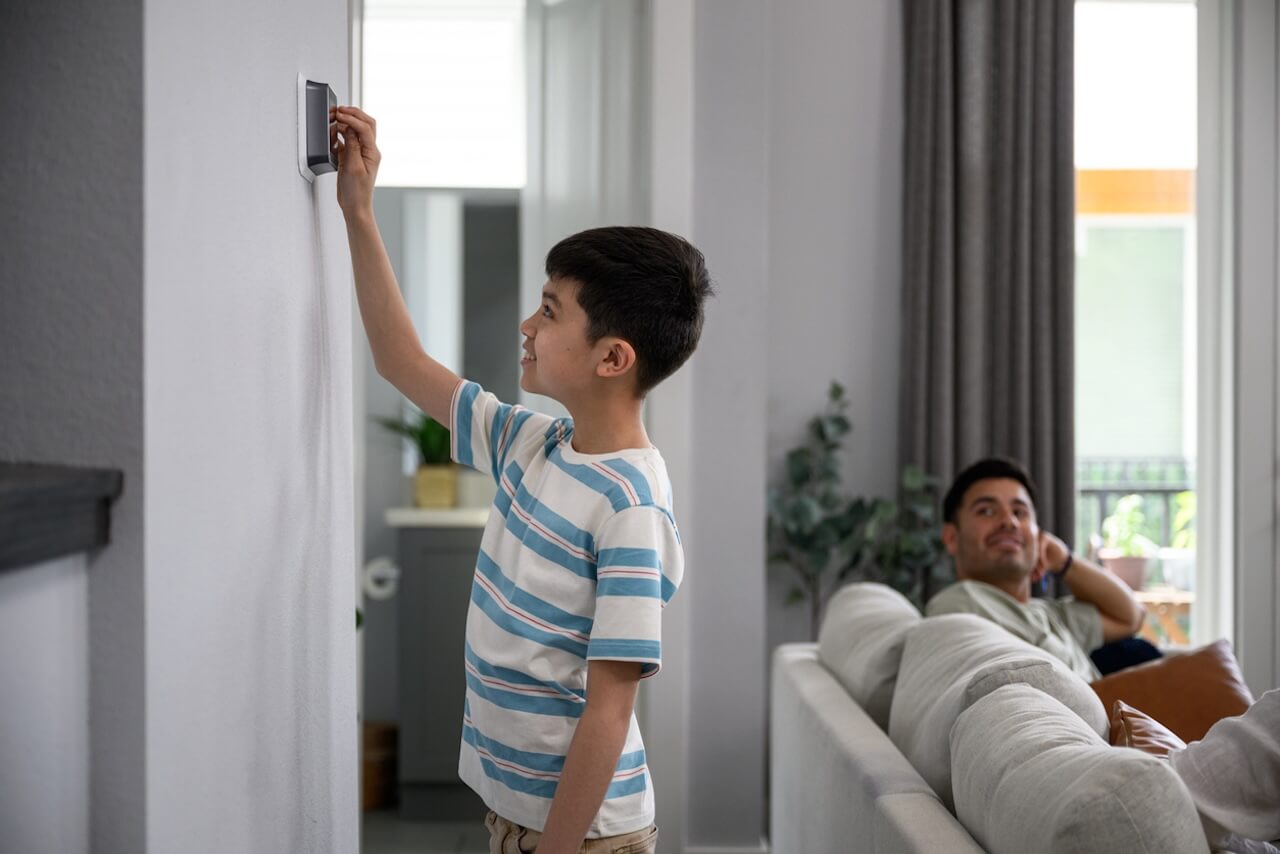
Choosing the best smart thermostat for an Airbnb isn’t about finding the thermostat with the most features—it’s about finding one that makes your rental easier to operate.
That’s an important distinction because most thermostat reviews are written for homeowners.
Homeowners care about learning schedules, voice assistants, beautiful displays, and smart home gadgets.
As a short-term rental host, your priorities are completely different.
You need a thermostat that:
- Keeps guests comfortable when they arrive.
- Prevents excessive heating and cooling costs.
- Is easy for guests to use.
- Lets you manage the property remotely.
- Integrates with your smart home ecosystem.
- Works reliably between hundreds of guest turnovers every year.
- Can automatically adjust based on your reservation calendar.
The last point is where most thermostat reviews completely miss the mark.
A thermostat isn’t just another smart device—it’s one of the largest operating expenses you can automate. A poorly configured thermostat can waste hundreds or even thousands of dollars every year through unnecessary heating and cooling. Even worse, it can generate guest complaints if the property is uncomfortable when guests arrive or if temperature limits are too restrictive.
The good news is that today’s smart thermostats are far better than the programmable thermostats of the past. When paired with calendar-based automation, they can automatically prepare your property for arriving guests, switch to energy-saving settings after checkout, and help protect your HVAC system while the property is vacant.
In this guide, we’ll compare the best smart thermostats for Airbnb hosts in 2026, explain which features actually matter for vacation rentals, identify the models we recommend (and the ones we don’t), and show how to turn your thermostat into an automated part of your rental operation instead of just another device connected to Wi-Fi.
Quick Answer
The best smart thermostat for most Airbnb hosts is the ecobee Smart Thermostat Essential. It offers an excellent balance of reliability, guest-friendly controls, remote management, broad smart home compatibility, and predictable behavior for short-term rentals.
If you’re heavily invested in Z-Wave, the Honeywell Home T6 Pro Z-Wave is still an excellent option. Existing Nest owners can continue using Nest successfully, but we generally don’t recommend buying into the Nest ecosystem for new short-term rental installations because its learning features and ecosystem limitations make it less predictable for rotating guests.
No matter which thermostat you choose, the biggest improvement comes from connecting it to your booking calendar so temperatures automatically adjust before check-in, after checkout, and during vacancy periods.

Our Top Picks
| Category | Recommendation |
|---|---|
| Best Overall | ecobee Smart Thermostat Essential |
| Best Premium | ecobee Smart Thermostat Premium |
| Best Z-Wave Option | Honeywell Home T6 Pro Z-Wave |
| Best for Existing Nest Owners | Google Nest Learning Thermostat |
| Best Budget Option | GoControl GC-TBZ48 |
| Best Overall Automation Experience | ecobee + Rental Home Automator |
Why Most Thermostat Reviews Get It Wrong
If you search Google for “best smart thermostat,” you’ll find dozens of articles comparing touchscreen quality, display brightness, voice assistants, AI learning algorithms, and smartphone apps.
Those are perfectly reasonable comparisons—for homeowners.
Short-term rentals operate under a completely different set of priorities.
Your thermostat isn’t trying to learn one family’s habits over several years. It’s serving dozens or even hundreds of different guests every year, each with different comfort preferences, schedules, and expectations.
That changes everything.
The best Airbnb thermostat isn’t the one with the longest feature list.
It’s the one that consistently answers questions like:
- Will guests understand how to use it?
- Can I prevent guests from setting the temperature to unreasonable levels
- Will it reliably reconnect after an internet outage?
- Can I manage multiple properties remotely?
- Does it integrate well with my smart home platform?
- Can it automatically prepare the property before guests arrive?
- Can it reduce energy usage after guests leave?
Those operational questions have a much bigger impact on your business than whether the thermostat includes Alexa, displays the weather forecast, or learns your schedule.
In fact, many of the “smart” features marketed to homeowners are unnecessary—or even counterproductive—for short-term rentals.
The Four Pillars of a Great Airbnb Thermostat
Over the years, we’ve tested numerous thermostat platforms across short-term rentals. While every property is different, we’ve found that the best systems consistently excel in four areas.
These are the four pillars we use when evaluating every thermostat.
1. Guest Comfort
Nothing affects a guest’s first impression faster than walking into an uncomfortable property.
If it’s freezing during the winter or sweltering in the summer, guests immediately start questioning whether the home is well maintained.
Your thermostat should make comfort automatic.
Ideally, the property should begin conditioning itself before guests arrive so it reaches a comfortable temperature by check-in—not thirty minutes afterward.
The thermostat should also be intuitive. Guests shouldn’t need an instruction manual just to raise the temperature by two degrees.
2. Energy Efficiency
Heating and cooling often represent one of the largest utility expenses at a short-term rental.
Without automation, it’s common for properties to remain heated or cooled at guest comfort levels long after checkout.
Multiply that wasted energy across dozens of turnovers each year and the costs add up quickly.
A good Airbnb thermostat helps reduce those expenses by automatically switching to energy-saving settings whenever the property is vacant while still returning to comfortable temperatures before the next guest arrives.
The goal isn’t simply to save energy.
The goal is to save energy without affecting the guest experience.
3. Operational Reliability
Fancy features don’t matter if the thermostat isn’t dependable.
Short-term rentals require devices that continue working day after day without constant attention.
We prioritize thermostats that offer:
- Reliable Wi-Fi connectivity
- Stable firmware
- Strong integration with smart home platforms
- Consistent remote access
- Clear mobile applications
- Long-term manufacturer support
Operational reliability is particularly important for hosts managing multiple properties. Saving even a few support calls each month quickly translates into meaningful time savings.
4. Calendar-Aware Automation
This is where Rental Home Automator approaches thermostat management differently than most platforms.
Most smart thermostats allow schedules.
Some allow geofencing.
Others rely on AI to learn occupancy patterns.
None of those approaches work particularly well when new guests arrive every few days.
Instead, the booking calendar should become the source of truth.
Your thermostat should automatically know when to:
- Begin heating or cooling before arrival.
- Return to energy-saving settings after checkout.
- Ignore cancelled reservations.
- Adjust for early check-in or late checkout.
- Handle owner stays differently from guest stays.
- Coordinate with locks, lighting, water valves, and other smart devices.
Once your thermostat understands the reservation calendar, it becomes part of your property’s operating system instead of just another connected device.
For a deeper look at this approach, read our guide to Thermostat Automation for Short-Term Rentals and our Ultimate Guide to Calendar-Based Rental Automation.
What Features Actually Matter?
When shopping for an Airbnb thermostat, you’ll encounter dozens of advertised features.
Some genuinely improve rental operations.
Others exist primarily for marketing.
These are the features we believe deserve the most attention.
Remote Management
This is non-negotiable.
You should be able to adjust temperatures from anywhere, confirm the HVAC is operating normally, and troubleshoot guest concerns without driving to the property.
Temperature Limits
One of the most valuable features for hosts is the ability to prevent guests from selecting unreasonable heating or cooling temperatures.
Most guests are respectful.
A few will try to cool the property to 60°F in the middle of July or heat it to 85°F during the winter.
Reasonable limits protect both your HVAC system and your utility bill while remaining virtually invisible to guests.
Smart Home Integration
A thermostat shouldn’t operate in isolation.
Look for compatibility with platforms like SmartThings and Matter where appropriate, allowing the thermostat to work alongside locks, lighting, sensors, and other automation devices.
HVAC Compatibility
Always verify that a thermostat supports your existing HVAC equipment before purchasing.
Heat pumps, multi-stage systems, electric heat, dual-fuel systems, and older furnaces may have different compatibility requirements.
This is one of the few areas where checking the manufacturer’s compatibility tool before ordering is always worthwhile.
Simple Guest Controls
Your thermostat should be powerful for you and simple for your guests.
The fewer instructions you need to leave behind, the better.
Complicated interfaces inevitably generate unnecessary support requests.
Our Evaluation Criteria
Every thermostat we recommend is evaluated using the same criteria:
- Installation experience
- HVAC compatibility
- Smart home integrations
- Mobile app quality
- Remote management capabilities
- Guest usability
- Automation potential
- Reliability
- Manufacturer support
- Overall value for short-term rentals
Rather than chasing the newest features, we prioritize thermostats that consistently reduce operational work while delivering a better guest experience.
Our Top Recommendation: ecobee Smart Thermostat Essential
If we were equipping a brand-new short-term rental today, the ecobee Smart Thermostat Essential would be our first choice.
It strikes the best balance between guest usability, reliability, automation potential, and overall value. More importantly, it avoids many of the unnecessary features that make some premium thermostats more expensive without providing meaningful operational benefits for vacation rentals.
For most hosts, that’s exactly what you want.
Unlike a primary residence, a short-term rental doesn’t need a thermostat that learns your family’s daily routine or serves as a voice assistant. It needs a thermostat that behaves predictably, can be managed remotely, and keeps guests comfortable while helping reduce energy costs.
The Essential delivers on those goals exceptionally well.
Why We Recommend It
The ecobee Essential has a clean, modern interface that most guests can understand immediately. The mobile app is intuitive for hosts, and the thermostat integrates well into a broader smart home ecosystem.
Unlike many entry-level thermostats, it doesn’t feel like a budget product. It simply focuses on the features that matter most instead of trying to become another smart display mounted on your wall.
For Airbnb hosts, that’s a major advantage.
Strengths
- Excellent mobile app
- Reliable Wi-Fi connectivity
- Clean, guest-friendly interface
- Broad smart home compatibility
- Strong remote management
- Excellent value
- Easy installation on most HVAC systems
Things to Consider
The Essential doesn’t include premium extras like built-in air quality monitoring or integrated voice assistants.
For most short-term rentals, we don’t consider that a disadvantage.
Those features rarely improve guest satisfaction, and they certainly don’t generate more bookings.
Best For
- Single-family vacation rentals
- Condos
- Cabins
- Apartments
- Multi-property hosts
- First-time smart home installations
Our Opinion
This is the thermostat we would install in the majority of short-term rentals today.
Not because it’s the most advanced thermostat on the market.
Because it’s the thermostat that solves the problems Airbnb hosts actually have.
If you’d like a deeper look at the hardware, installation process, and long-term performance, read our complete review of the ecobee Smart Thermostat Essential.
You can also view its full specifications on the official ecobee website.
ecobee Smart Thermostat Premium
If money isn’t your primary concern, the ecobee Smart Thermostat Premium is an excellent thermostat.
The question isn’t whether it’s good.
The question is whether it’s worth the additional cost for a short-term rental.
For many hosts, the answer is probably not.
The Premium model adds several features that make sense in an owner-occupied home:
- Built-in air quality monitoring
- Voice assistant support
- Better speaker
- More premium hardware
- Occupancy sensing improvements
Those are all nice upgrades.
But ask yourself this question:
Will any of those features help your next Airbnb guest check in more easily, reduce your utility bill, or eliminate operational work?
Usually, the answer is no.
The thermostat still performs extremely well, and if you already own one or prefer premium hardware, you certainly won’t regret purchasing it.
We simply don’t believe most Airbnb hosts will receive enough additional value to justify the higher price.
Where It Does Make Sense
There are situations where we’d absolutely recommend the Premium.
Luxury vacation rentals.
Owner-occupied vacation homes that are rented part-time.
Properties where the owner spends significant time using the thermostat personally.
In those situations, the nicer display, sensors, and premium finish may absolutely be worth the investment.
Strengths
- Premium build quality
- Excellent display
- Outstanding app
- Very reliable
- Broad ecosystem support
- Excellent HVAC compatibility
Weaknesses
- Higher price
- Premium features provide limited operational benefit for most rentals
Our Verdict
If you’re buying specifically for an Airbnb, we’d generally recommend purchasing the Essential and putting the savings toward better leak sensors, smart locks, or a water shutoff valve.
Those upgrades will usually produce a much greater operational return.
Compare both models on ecobee’s official comparison page.
For more smart device recommendations, visit our Recommended Devices page.
Honeywell Home T6 Pro Z-Wave
While Wi-Fi thermostats dominate today’s market, we continue to have a soft spot for the Honeywell Home T6 Pro Z-Wave.
It remains one of the best Z-Wave thermostat options available for hosts who have invested heavily in a Z-Wave-based smart home.
That’s an increasingly important distinction.
Many of the devices we recommend for short-term rentals—including smart locks, water shutoff valves, switches, and sensors—use Z-Wave because of its reliability, battery efficiency, and strong local communication.
The T6 fits naturally into that ecosystem.
Why We Like It
The Honeywell T6 isn’t flashy.
It doesn’t try to impress guests.
Instead, it quietly does exactly what a thermostat should do.
It maintains temperatures reliably, integrates well with SmartThings, supports automation platforms, and has proven itself over many years of real-world installations.
Sometimes boring is exactly what you want.
Best For
- Existing Z-Wave smart homes
- SmartThings users
- Hosts prioritizing local automation
- Multi-property operators
Potential Drawbacks
The user interface isn’t quite as polished as ecobee.
The mobile experience feels a little more traditional.
Some hosts may also find installation slightly more involved depending on their HVAC system.
None of those are deal breakers.
They’re simply trade-offs.
Our Opinion
If you’re already building around SmartThings and Z-Wave, the Honeywell T6 remains one of the strongest thermostat choices available.
We would choose it over many newer Wi-Fi-only thermostats because operational reliability matters more than flashy marketing features.
Read our complete review of the Honeywell Home T6 Pro Z-Wave.
You can also review the official specifications from Honeywell Home.
Comparison at a Glance
| Feature | ecobee Essential | ecobee Premium | Honeywell T6 Pro Z-Wave |
|---|---|---|---|
| Guest Friendliness | ⭐⭐⭐⭐⭐ | ⭐⭐⭐⭐⭐ | ⭐⭐⭐⭐☆ |
| Remote Management | ⭐⭐⭐⭐⭐ | ⭐⭐⭐⭐⭐ | ⭐⭐⭐⭐☆ |
| Automation Potential | ⭐⭐⭐⭐⭐ | ⭐⭐⭐⭐⭐ | ⭐⭐⭐⭐⭐ |
| SmartThings Compatibility | Excellent | Excellent | Excellent |
| HVAC Compatibility | Excellent | Excellent | Excellent |
| Overall Value | ⭐⭐⭐⭐⭐ | ⭐⭐⭐⭐☆ | ⭐⭐⭐⭐⭐ |
Which One Would We Buy?
If we were installing one thermostat today in a brand-new Airbnb, we’d buy the ecobee Smart Thermostat Essential.
In contrast, if we already had a mature Z-Wave ecosystem built around SmartThings, we’d strongly consider the Honeywell Home T6 Pro Z-Wave.
The important thing to remember is that none of these thermostats become truly “smart” for a short-term rental until they’re connected to your booking calendar.
That’s the point where the thermostat stops being a remote-controlled device and starts becoming part of an automated operating system.
Google Nest Learning Thermostat
The Google Nest Learning Thermostat is one of the most recognizable smart thermostats on the market, and for good reason. It helped define the smart thermostat category and introduced many homeowners to connected climate control.
However, what makes Nest appealing in a primary residence doesn’t always translate well to a short-term rental.
That’s why our recommendation for Nest is a little different than many review sites.
Why We Don’t Usually Recommend Nest for New Airbnb Installations
The Nest Learning Thermostat was designed around a simple idea: learn your daily routine and automatically adjust your home’s temperature over time.
For a family living in the same house every day, that’s an excellent concept.
For an Airbnb, there is no routine.
Every reservation brings different guests with different schedules, different comfort preferences, and different lengths of stay.
Instead of learning one predictable occupancy pattern, the thermostat sees a constantly changing stream of occupants.
While you can disable many of Nest’s learning behaviors and manage schedules manually, doing so means you’re paying for features that you may never use.
That’s why we generally recommend ecobee or Honeywell for new installations.
When Nest Still Makes Sense
That doesn’t mean Nest is a poor choice.
In fact, if you already own Nest thermostats—or if the property already has them installed—we generally recommend keeping them.
They’re reliable.
The hardware is attractive.
The Google Home app is polished.
Remote control works well.
And with proper automation, they can perform very effectively in a vacation rental.
The key is understanding that calendar-based automation should drive the thermostat—not its learning algorithm.
Strengths
- Attractive industrial design
- Excellent mobile application
- Strong remote management=
- Reliable Wi-Fi connectivity
- Mature ecosystem
- Wide HVAC compatibility
Weaknesses
- Learning features offer little benefit for rotating guests
- Best experience is tied to the Google ecosystem
- Fewer automation advantages than some competing platforms for short-term rental operations
Our Opinion
If you’re already invested in Google Home, keep your Nest thermostat and automate around it. If you’re buying a thermostat specifically for a new short-term rental, we believe ecobee offers a better balance of features, flexibility, and operational predictability.
Bottom Line: Nest remains an excellent thermostat—but we generally view it as the best choice for existing Nest users, not necessarily for new Airbnb installations.
Learn more in our full review of the Google Nest Learning Thermostat.
For official product information, visit the Google Nest product page.
Features That Matter Less Than You Think
Manufacturers love adding new features.
Unfortunately, many of those features have very little impact on running a successful Airbnb.
Here are a few that shouldn’t heavily influence your buying decision.
Built-in Voice Assistants
Voice assistants can be convenient in your own home.
In a vacation rental, they’re often ignored—or intentionally disabled by hosts for privacy reasons.
They rarely justify paying significantly more for a thermostat.
Learning Schedules
Learning schedules are one of the biggest selling points for homeowners.
They’re also one of the least useful features for properties with constantly changing guests.
Reservation calendars already tell you when guests are arriving and leaving.
That information is far more reliable than trying to infer occupancy patterns.
Fancy Displays
A beautiful touchscreen is nice.
Guests typically interact with the thermostat for less than a minute during their stay.
Prioritize reliability over appearance.
Indoor Air Quality Sensors
Some premium thermostats monitor indoor air quality.
While interesting, these sensors generally don’t improve guest satisfaction or reduce operational work.
For most hosts, the money is better spent on leak sensors, smart locks, or water shutoff valves.
Common Thermostat Mistakes Airbnb Hosts Make
Even the best thermostat won’t deliver great results if it’s configured incorrectly.
Here are the mistakes we see most often.
Leaving the Property Comfortable All Week
Many hosts simply leave their thermostat at 72°F year-round.
That’s easy—but expensive.
Using calendar-based occupancy allows the property to conserve energy while vacant and automatically return to comfortable temperatures before guests arrive.
Allowing Unlimited Temperature Changes
Without limits, some guests will inevitably set unrealistic temperatures.
Reasonable heating and cooling limits protect both your HVAC system and your utility bills without affecting the guest experience.
Depending Only on Schedules
Traditional schedules assume every Monday looks the same.
Vacation rentals don’t work that way.
Reservations change constantly.
Check-ins move.
Guests extend stays.
Cleaning schedules shift.
A reservation calendar is a much more accurate source of truth.
Forgetting About Early Check-In and Late Check-Out
One of the most common operational mistakes is manually adjusting the thermostat when guests arrive early or leave late.
That creates extra work and increases the risk of forgetting to change it back.
Instead, automate those adjustments so the HVAC schedule follows the reservation automatically.
Learn more about our Early Check-In & Late Check-Out feature.
Why Calendar-Based Thermostat Automation Changes Everything
A smart thermostat is valuable.
A calendar-aware smart thermostat is transformative.
Instead of relying on fixed schedules, geofencing, or AI learning, Rental Home Automator connects your thermostat directly to your reservation calendar.
That means your property automatically knows when to:
- Begin heating or cooling before guest arrival
- Return to energy-saving settings after checkout
- Adjust for early check-in and late check-out
- Handle owner stays differently from guest reservations
- Coordinate with locks, lighting, water valves, and other smart devices
- Ignore canceled reservations automatically
The result is a property that’s more comfortable for guests, more efficient during vacancies, and significantly easier to manage.
To learn more, read our Thermostat Automation for Short-Term Rentals guide and our Ultimate Guide to Calendar-Based Rental Automation.
Why Rental Home Automator Is Different
Most smart thermostat apps allow you to change the temperature remotely.
That’s useful—but it’s only a small part of running a successful short-term rental.
The real challenge isn’t remembering to adjust the thermostat. It’s remembering to adjust it at the right time, every time, across every reservation.
That’s where calendar-based automation changes everything.
Rental Home Automator connects your booking calendar directly to your smart home, allowing your thermostat to automatically respond to reservations without requiring manual schedules or constant oversight.
Instead of relying on fixed daily schedules or occupancy learning algorithms, your thermostat can automatically:
- Preheat or precool your property before guests arrive
- Switch to energy-saving temperatures after checkout
- Handle early check-ins and late check-outs automatically
- Treat owner stays differently from guest reservations
- Coordinate with smart locks, lights, switches, and water shutoff valves
- Continue following your reservation schedule even when bookings change
Because everything revolves around your reservation calendar, your thermostat becomes part of a larger automation strategy instead of functioning as a standalone smart device.
Frequently Asked Questions
What is the best smart thermostat for Airbnb?
For most hosts, we recommend the ecobee Smart Thermostat Essential because it provides an excellent balance of reliability, remote management, guest-friendly controls, and automation potential. Hosts already using SmartThings and Z-Wave may prefer the Honeywell Home T6 Pro Z-Wave, while existing Google Home users can continue using Nest successfully.
Can Airbnb guests control the thermostat?
Yes.
Guests should be able to adjust the temperature during their stay. However, many smart thermostats allow hosts to define reasonable heating and cooling limits to prevent excessive energy use while maintaining guest comfort.
Should I lock my thermostat?
Generally, no.
Guests expect to control the temperature within a reasonable range. Instead of completely locking the thermostat, configure minimum and maximum temperature limits that protect your HVAC system without negatively affecting the guest experience.
Can a thermostat automatically adjust between reservations?
Yes.
When connected to a calendar-aware automation platform such as Rental Home Automator, your thermostat can automatically prepare the property before arrival, reduce energy usage after checkout, and adjust for reservation changes without requiring manual intervention.
Is Nest or ecobee better for Airbnb?
Both are excellent thermostats.
For new Airbnb installations, we generally recommend ecobee because of its predictable operation, broad smart home compatibility, and strong operational features for short-term rentals.
If you already own Nest thermostats, there’s usually no reason to replace them.
Can a smart thermostat lower utility bills?
Absolutely.
Heating and cooling represent one of the largest operating expenses for most vacation rentals.
Automatically reducing heating and cooling during vacancy periods can significantly lower annual utility costs while maintaining guest comfort during occupied stays.
Do I need Wi-Fi?
Most modern smart thermostats require an internet connection for remote management and cloud services.
Some local automations may continue functioning during an internet outage depending on your smart home platform, but remote access generally requires Wi-Fi.
Which thermostat works best with SmartThings?
We typically recommend:
All three integrate well into SmartThings-based smart home ecosystems.
Are learning thermostats good for vacation rentals?
Not usually.
Learning thermostats perform best in homes with consistent daily routines.
Vacation rentals have constantly changing occupancy patterns, making reservation-based automation significantly more predictable.
What temperature should an Airbnb be before guests arrive?
Most hosts aim for approximately 68–72°F (20–22°C) during heating season and 72–76°F (22–24°C) during cooling season, depending on climate and guest expectations.
The important point is that the property reaches a comfortable temperature before guests arrive—not after.
Build Your Complete Smart Rental
A thermostat is only one piece of a successful smart rental.
Many of the biggest operational improvements come from combining multiple smart devices into a single automated system.
As you continue building your property, we recommend exploring these resources:
Start Here
Buying Guides
Operating Manuals
- Calendar-Based Rental Automation
- Thermostat Automation for Short-Term Rentals
- Water Valve Automation
- Lighting Automation for Short-Term Rentals
Device Reviews
Final Thoughts
Choosing the best smart thermostat for an Airbnb isn’t about finding the model with the most features—it’s about choosing one that helps you operate your rental more efficiently while providing a consistently comfortable experience for every guest.
For most hosts, the ecobee Smart Thermostat Essential offers the best combination of reliability, value, and automation potential, making it our top recommendation.
If you’re already invested in a SmartThings and Z-Wave ecosystem, the Honeywell Home T6 Pro Z-Wave remains an outstanding choice. Existing Google Home users can continue using Nest successfully, particularly when paired with reservation-based automation.
No matter which thermostat you choose, the greatest value comes from integrating it into a complete automation strategy. When your thermostat works alongside your booking calendar, smart locks, lighting, leak sensors, and water shutoff valves, your property becomes easier to manage, more energy efficient, and better prepared to deliver a consistent guest experience.
Explore how Rental Home Automator can connect your thermostat and other smart devices directly to your reservation calendar—eliminating repetitive manual tasks and helping your property run itself.


)
&description=&image=https://www.rentalhomeautomator.com/wp-content/uploads/hosting_rentalhomeautomator_com_files/2025/04/iStock-2156180611-1024x683.jpg)