
Short-term rental automation — and vacation rental automation more broadly — is one of the highest-leverage investments a host can make. When your property’s locks, thermostat, water, and lighting all respond to your booking calendar — automatically — you spend less time on coordination and more time on things that actually grow your business.
This guide covers everything involved in automating a short-term rental: what it means, how the two pillars work, which devices to prioritize, and the pitfalls that trip up most hosts. Whether you’re just getting started or refining an existing setup, this is the complete reference.
TL;DR The most valuable short-term rental automations are guest access, thermostat control, water protection, lighting, cleaning coordination, guest communication, pricing and monitoring. The best systems connect those workflows to the booking calendar so the property automatically changes state before check-in, during the stay, at checkout and while vacant.
The booking calendar should be the source of truth for the physical rental: when occupancy changes, the property should change with it.
What Is Short-Term Rental Automation?
Short-term rental automation is the integration of software and connected devices to prepare, protect, and reset a property before, during, and after each stay — without constant manual intervention. Unlike a standard smart home, a short-term rental deals with frequent turnovers, variable occupancy, and remote management. That context requires automation that is calendar-aware and built specifically for hospitality, not for a single household with a predictable routine.
Most short-term rental automation falls into two categories, and understanding the difference makes it much easier to build the right system.
- Operational automation manages the business around the reservation. It handles tasks such as cleaning schedules, guest communication, dynamic pricing, maintenance workflows, and other repetitive management work.
- Smart-home automation manages the physical property around the reservation. It controls guest access, temperature, water, lighting, and monitoring based on whether the property is preparing for a guest, occupied, being cleaned, or vacant.
Many short-term rental platforms automate the first layer. Far fewer automate the second.
The most complete approach connects both layers to the same reservation timeline: the software manages the stay, while the smart-home system prepares, operates, protects, and resets the physical property.
That is the difference between simply automating tasks and building an automated short-term rental.
What Should You Automate in a Short-Term Rental?
The most valuable short-term rental automations are the ones that remove repetitive work, protect the property, and respond automatically as occupancy changes. For most hosts, that means automating these eight areas:
- Guest access — Create, activate, and expire unique smart-lock codes based on each reservation.
- Thermostat and HVAC — Pre-condition the property before arrival, maintain guest comfort during the stay, and switch to energy-saving settings after checkout.
- Water protection — Coordinate smart water valves and leak sensors so the property is protected while vacant without creating unnecessary risk during a guest stay.
- Lighting — Prepare arrival lighting, automate exterior lights, and reduce unnecessary lighting during vacancies.
- Property monitoring — Track temperature, leaks, device connectivity, battery levels, and other conditions that may require attention when nobody is at the property.
- Cleaning and turnovers — Trigger cleaner workflows, coordinate service access, and prepare the property between reservations.
- Guest communication — Automate repetitive arrival information, checkout instructions, reminders, and other routine messages.
- Pricing and revenue management — Use dynamic-pricing tools to adjust nightly rates based on demand, seasonality, events, and occupancy.
Not every host needs to automate all eight areas at once. For the physical property, we recommend starting with access, HVAC, and water protection, then adding lighting and monitoring as the system matures.
The important distinction is that these automations should not operate as isolated schedules. A short-term rental changes state because the reservation changes — so the booking calendar should become the source of truth for the property.
For a device-by-device breakdown, see our guide to what you can automate in an Airbnb.
Pillar One: Operational Automation for Short-Term Rentals
Operational automation removes repetitive coordination work, freeing you to focus on guest experience and portfolio growth. There are four main areas to address.
Cleaning and Turnover Scheduling
Before guests arrive, a clean and well-staged property sets the tone for the entire stay. Tools like Breezeway let you automatically assign cleanings after check-out, provide cleaners with photo-based checklists, and sync cleaner-only door codes with your booking calendar. As a result, turnovers happen faster, missed cleans become rare, and presentation stays consistent across every stay. For more detail, see our guide to Airbnb cleaning automation.
Dynamic Pricing and Revenue Management
Pricing drives profitability more than almost anything else in short-term rental management. Dynamic pricing tools like PriceLabs, Wheelhouse, and Beyond automatically adjust nightly rates based on demand, seasonality, local events, and competitor positioning. Rather than manually reviewing rates each week, you set your floor and ceiling rules and let the system optimize within those boundaries. The result is higher RevPAR with significantly less manual effort.
Guest Communication and Messaging
Automated messaging removes the most repetitive part of hosting: sending the same pre-arrival information, mid-stay check-ins, check-out instructions, and review requests to every guest. Well-timed automated messages also reduce inbound questions by getting key information to guests before they need to ask for it — which directly improves reviews and reduces your time on support.
Maintenance Tracking and Alerts
Prevention is less expensive than repair. Smart home sensors can trigger maintenance tasks automatically. A water leak detected at 2am creates an alert before it becomes a damage claim. A low-battery report gets flagged before it affects a guest, and seasonal service reminders can be built into your calendar workflow. See how smart alerts designed for short-term rental monitoring handle this at the device level.
Pillar Two: Smart-Home Automation for Airbnb and Vacation Rentals
Most short-term rental automation stops at software. Smart-home automation goes a step further by making the physical property respond to the reservation itself. Locks, thermostats, water valves, lights, and monitoring devices can all behave differently before check-in, during a stay, at checkout, and while the property is vacant.
Homeowners automate routines. Short-term rental hosts should automate occupancy.
Smart Lock Automation
Smart locks are the highest-impact starting point for most hosts. With calendar-based automation, guest codes activate at check-in and expire automatically at check-out. Cleaner and vendor codes work only within their assigned time windows. No key exchanges, no lockboxes, no chasing down guests who forget to return keys.
For STR use specifically, Z-Wave locks connected to a SmartThings hub outperform Wi-Fi locks on reliability — particularly for the automated code generation that’s central to the guest experience. See our full breakdown in best smart lock technology for short-term rentals.
Thermostat Automation
Thermostat automation serves two purposes: guest comfort and energy efficiency. Before a guest arrives, the property can pre-condition to a comfortable temperature. At check-out, it shifts to an eco setpoint automatically. During a vacancy of several days, it maintains a minimum safe temperature without running full-time.
Beyond scheduling, temperature limits prevent guests from setting extremes that wear out equipment or spike utility costs. For a complete look at the options, see the best smart thermostat for Airbnb hosts.
Water Valve and Leak Detection Automation
Water damage is one of the most common and costly claims short-term rental hosts face. A calendar-controlled water valve — turned on for guest stays and cleaning, off during vacancies — eliminates the most expensive scenario: a slow leak or burst pipe in an unoccupied property that goes undetected for days. Paired with leak sensors that trigger immediate alerts, this combination provides meaningful protection without requiring any manual action.
For the full picture on this, see water valve automation for short-term rentals. For coverage context, Proper Insurance’s overview of short-term rental property insurance outlines the gaps standard homeowner policies leave open — water damage from unoccupied properties is frequently one of them.
Lighting Automation
Arrival lighting scenes, exterior lights synced to sunset, and vacancy modes that keep the property dark when unoccupied all contribute to both guest experience and energy savings. Lighting automation is typically the lowest-priority item in the stack, but it adds the kind of polished first impression that guests notice and mention in reviews.
Safety Monitoring
Smoke and CO detection, noise monitoring, and freeze alerts round out the smart-home layer. For STR use, the most important question is whether alerts reach the host immediately and reliably — not just whether a device can detect a problem.
How Both Pillars Work Together
Short-term rental automation delivers its full value when the operational and smart-home layers are synchronized. Here’s what that looks like across a full guest cycle.
Before arrival: The cleaner completes the turnover, triggering a “ready” confirmation. Meanwhile, the thermostat pre-conditions the property an hour before check-in, the water turns on, lights prepare an arrival scene, and the guest’s lock code becomes active.
At check-in: The guest uses their unique code to enter. No host interaction required. If anything fails — a code doesn’t program, a device doesn’t respond — the automation platform retries automatically and sends an alert if the issue persists.
During the stay: If a noise threshold is exceeded, an automated message goes to the guest. If a leak is detected, the host is notified immediately. If a window is left open while the AC is running, the thermostat can pause to avoid waste.
At check-out: Guest codes expire. The thermostat shifts to eco mode. The water shuts off. Lights go dark. A cleaning task is automatically created and assigned.
Extended vacancy: The thermostat runs a minimal schedule, the water stays off, and freeze protection engages if temperatures drop toward a dangerous threshold.
That is why we treat the booking calendar as the source of truth. A reservation should not merely appear on a calendar — it should tell the property when to prepare for a guest, when to operate in occupied mode, when to reset after checkout, and when to protect itself during vacancy.
How Automated Check-In and Check-Out Work in a Short-Term Rental
Automated check-in and checkout should involve more than sending a guest a message or scheduling a door code. In a fully automated rental, the reservation triggers a coordinated change across the property.
Before Check-In
Several hours before arrival, the property can begin preparing itself:
- The guest’s unique door code is programmed or activated.
- The thermostat moves from its vacancy setting to a comfortable arrival temperature.
- The water valve changes to its occupied state if water is normally shut off during extended vacancies.
- Arrival or exterior lighting can activate at the appropriate time.
- The host can be alerted if a critical device fails to respond.
The goal is for the property to be ready before the guest reaches the door, without requiring the host to perform a checklist manually.
At Check-In
At the scheduled check-in time, the guest’s access window becomes active and the property enters its occupied operating state.
From that point forward, guest comfort takes priority. HVAC, water, access, and monitoring rules should reflect the fact that someone is staying at the property rather than treating the home as vacant.
This is also why fixed timers are a poor fit for rentals. If a guest receives an approved early check-in or the reservation changes, calendar-aware automation can move the automation window with the booking instead of forcing the host to reprogram multiple systems manually.
At Check-Out
Checkout reverses the process:
- The guest’s access code expires.
- The thermostat returns to an energy-saving or vacancy setting.
- Lighting returns to its unoccupied behavior.
- Water can return to the property’s chosen vacancy strategy.
- The cleaning or turnover workflow begins.
- Monitoring rules can become more protective because the property is no longer occupied.
A good checkout automation leaves the property in a known baseline state every time.
Why Calendar-Based Check-In Automation Matters
The key is that the reservation controls the workflow.
A 4:00 p.m. timer knows only that it is 4:00 p.m. A calendar-aware system knows whether a guest is actually arriving, whether the booking changed, whether checkout was extended, and whether the property should be occupied at all.
That distinction becomes increasingly important as you manage more reservations, more devices, or more properties.
For a deeper explanation, see our guide to calendar-based rental automation.
What We’ve Learned From Automating Real Short-Term Rentals
The biggest lesson we have learned from automating rental properties is that reliability matters more than novelty.
A smart-home feature that works 95% of the time may feel impressive in your own house. In a rental property hundreds or thousands of miles away, the 5% failure rate is what matters. A missed lock-code update can leave a guest outside. A thermostat that fails to change state can waste energy for days. A water automation that behaves incorrectly can create a much larger problem than the one it was intended to prevent.
That experience has shaped several principles we use when designing rental automation:
- Use the reservation rather than a fixed schedule whenever occupancy matters.
- Prefer predictable control over devices that try to “learn” household behavior.
- Use reliable local smart-home protocols such as Z-Wave or Zigbee for critical devices when practical instead of depending entirely on guest-facing Wi-Fi.
- Build safety margins into important automations. For example, program a lock code hours before arrival rather than waiting until the exact check-in minute.
- Assume devices will occasionally fail to respond.Critical automation needs retries, alerts, and a fallback plan.
- Treat guest stays differently from vacancies. An automation that is appropriate for an empty property may be unacceptable while a guest is inside.
The goal is not to make a rental look technologically impressive. The goal is to make the property operate predictably even when the host is not there.
What Short-Term Rental Automation Actually Saves You
The ROI case for vacation rental automation covers both cost reduction and revenue protection. Tracking it clearly requires looking at three streams.
Energy and Utility Savings
Thermostat automation during vacancies and lighting automation between stays both reduce unnecessary consumption. The savings vary by property size, climate, and device mix, but even modest reductions compound meaningfully over a full booking season. Furthermore, temperature limits on guest-accessible thermostats prevent the kind of extreme usage that spikes a single month’s utility bill.
Damage Prevention
Water damage avoidance alone can justify an entire automation setup. Beyond water, early detection of HVAC failure, freeze conditions, or device malfunctions allows intervention before problems escalate. Because short-term rental properties sit unoccupied between stays, issues that a resident homeowner would catch immediately can go undetected for days — making remote monitoring especially high-value.
Time and Operational Savings
Reduced manual coordination across locks, cleaning, and guest communication adds up quickly. Hosts who automate lock codes alone typically eliminate dozens of manual tasks per month per property. As a result, scaling to additional properties becomes far more feasible without a proportional increase in time investment.
How to Set Up Short-Term Rental Automation: Step by Step
Getting started with Airbnb and vacation rental automation is more straightforward than most hosts expect. However, the order of operations matters — building on a weak foundation creates problems that are harder to fix later.
Step 1: Stabilize Your Network Infrastructure
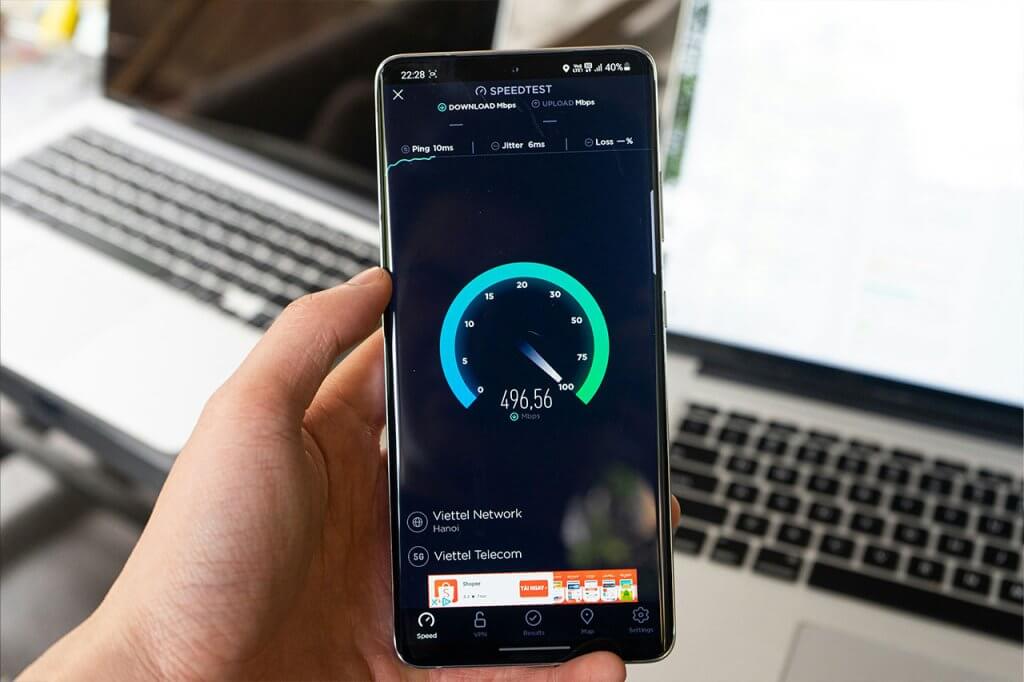
Creating a separate network for your smart devices is the foundation everything else depends on. Smart devices that lose connectivity cause missed automations at the worst possible times. A separate IoT network built on Z-Wave, Zigbee or Thread is the right approach for any property with more than a few smart devices.
Step 2: Connect Your Booking Calendar
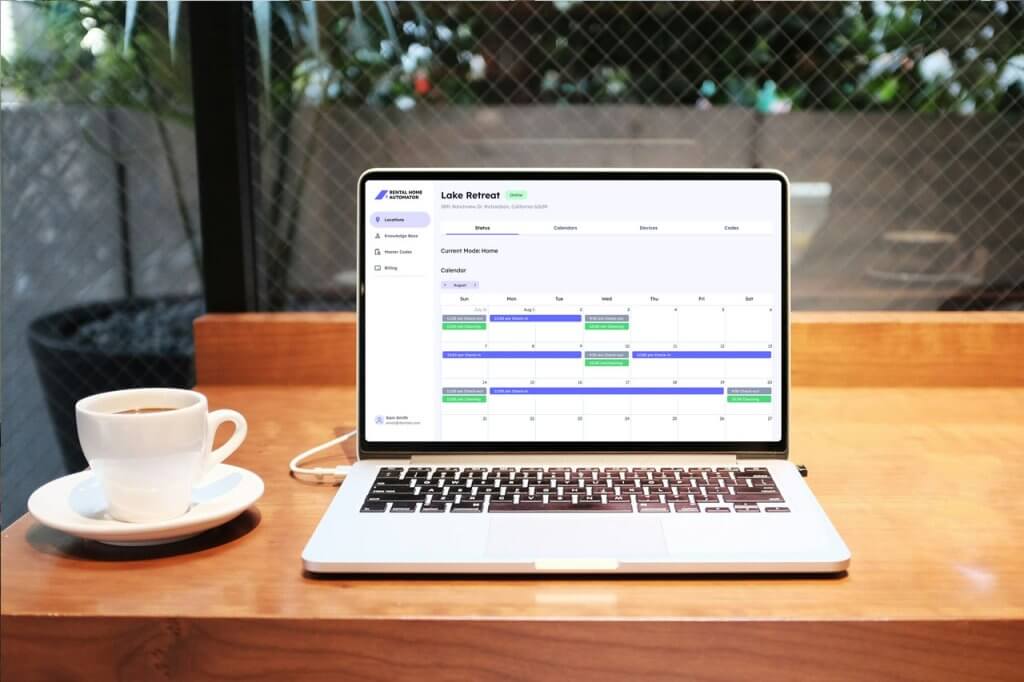
Calendar-based automation requires a reliable iCal feed from your booking platform. Connect this first, before configuring any device automations, so that every subsequent automation can be tested against real or test booking events. This is the critical step that separates true short-term rental automation from basic smart-home scheduling.
Step 3: Start with High-Impact Devices
Deploy devices in order of impact: smart locks first, then a thermostat, then a water valve, then lighting and sensors. This sequence ensures the most operationally critical automations are working and stable before you add complexity. For a prioritized list of what to install, see what can I automate at my short-term rental.
Step 4: Configure Calendar-Triggered Automations
Once devices are connected, set up the core automation triggers: code activation and expiration tied to check-in/check-out times, thermostat preconditioning before arrival, water on/off by occupancy status, and cleaning event handling. See calendar-based rental automation for how this works in practice.
Step 5: Layer in Operational Tools
After the smart-home layer is stable, add operational automation: cleaning management, dynamic pricing, and automated guest messaging. These tools work best when the physical automation is already running reliably underneath them.
Step 6: Test, Standardize, and Document
Run through a full simulated stay — trigger check-in automations, verify every device responds, trigger check-out, and confirm the reset. Document what runs, when, and what the fallback is if something fails. Standardized checklists and documented edge cases (early arrivals, late check-outs, last-minute bookings) are what make automation durable over time.
Advanced Short-Term Rental Automation Strategies
Once core automations are stable, there are several additional layers worth considering.
Vacancy Modes and Seasonal Protection
Beyond the basic on/off at check-in and check-out, extended vacancy modes add value for properties that sit unoccupied for longer periods. In winter climates, freeze protection keeps the thermostat above a minimum threshold even when no stay is scheduled. In summer, humidity monitoring can alert to conditions that promote mold in unoccupied units. These background automations run quietly and only trigger action when conditions warrant it.
Multi-Property Templating
For hosts managing more than one property, templated automation configurations dramatically reduce the time needed to onboard a new unit. Rather than building automations from scratch each time, you replicate a proven configuration and adjust for property-specific variables. Because billing and management are location-based, expanding the portfolio doesn’t require proportionally more setup work.
Edge Case Handling
Last-minute bookings, early check-ins, and late check-outs are the scenarios that break rigid, timer-based automation. Calendar-aware automation handles these naturally — when a booking changes, the automation window changes with it. Nevertheless, it’s worth defining explicit policies and testing how your automation platform handles same-day bookings and booking modifications.
Compliance and Guest Privacy
Outdoor cameras are appropriate and expected. Indoor cameras in guest spaces are not permitted on major platforms and damage trust. All monitoring should be disclosed transparently in your listing. Vendor and staff access should be time-limited and scoped to what’s necessary. A maintenance code valid for a two-hour window on Tuesday is better than a permanent code with no restrictions.
Common Pitfalls in Vacation Rental Automation
After working with smart devices and automation in real rental environments, we have found that most failures come from a surprisingly small set of predictable mistakes.
Over-relying on Wi-Fi devices for critical automations. Wi-Fi devices depend on cloud connectivity and compete with guest traffic for bandwidth. For locks, thermostats, and water valves — anything where a missed command has real consequences — Z-Wave or Zigbee devices connected to a local hub are significantly more reliable. See think twice before using smart Wi-Fi devices in your Airbnb for the full case.
Using timer-based logic instead of calendar triggers. Timers don’t adapt to booking changes. A guest who checks out an hour late, or a last-minute booking that arrives the same day, will conflict with any fixed schedule. Calendar-based triggers are the correct approach for short-term rental automation — specifically because bookings are variable.
No reset routine after guest departure. Automation that handles check-in well but doesn’t fully reset the property at check-out creates compounding problems. Every device, every code, and every device state should return to a defined baseline after each stay.
Building automations one-off instead of templating them. If every property in your portfolio has a slightly different automation configuration, you’ll spend all your maintenance time troubleshooting inconsistencies. Standardizing on a core template — then adjusting for property-specific variables — is the right approach from the first property.
Frequently Asked Questions
It’s the coordination of operational tools — cleaning, pricing, messaging, maintenance — and smart-home devices — locks, thermostats, lighting, water, and safety sensors — that all act on your booking calendar. Consequently, your property prepares itself before arrival, protects itself during the stay, and resets itself at checkout without manual intervention.
Not necessarily. Although a PMS helps at scale, most core automations — locks, thermostats, lighting, water — can run directly from a calendar feed. You can layer in PMS features later for reporting and multi-property workflows.
Start with smart locks (eliminate key exchanges and coordination errors), a thermostat (reduce utility costs during vacancies), and a water valve (prevent the most expensive category of property damage). From there, add lighting and safety sensors as budget allows. For a full device comparison, see best smart home devices for Airbnb.
Because automation enables instant self-check-in, consistent staging, and faster issue resolution, the guest experience becomes more reliable. In turn, more consistent 5-star reviews improve your listing’s visibility on booking platforms, which typically supports higher occupancy and more direct bookings over time.
For places where internet connectivity is less reliable, it’s worth programming your automations to run in advance of check-in or after check-out times. Access codes that are already programmed will still work even without cloud connectivity. For this reason, it’s worth designing your automation recipes with offsets which provide a safety buffer in case there is a network connectivity issue right around check-in (or check-out) time. For example, you may want to program door codes 4 or 8 hours in advance, and adjust the temperature 2 hours before the guest arrives.
Yes, provided you’re using calendar-triggered automation rather than timer-based scheduling. When a booking is confirmed, the system can activate access codes, pre-condition the HVAC, and notify cleaning immediately — even if the booking arrives just hours before check-in.
We recommend calendar-controlled water on/off — on during guest stays and cleaning windows, off when vacant — combined with leak sensors for alerts. Fully automatic shutoff based on sensor readings alone carries a risk of false positives during a guest stay, which creates a poor experience. The calendar-controlled approach minimizes risk while avoiding mid-stay shutoffs. For more detail, see water valve automation for short-term rentals.
Yes. A platform like Rental Home Automator unifies mixed-brand devices — locks, thermostats, lighting, water valves, sensors — so they all respond to the same calendar triggers. As a result, you’re free to choose the best device for each job rather than staying locked into a single brand ecosystem.
Track three streams: utilities (HVAC and lighting reductions during vacancies), incident costs (water damage avoidance, early maintenance intervention), and time saved (lock code management, guest coordination, emergency trips). Additionally, monitor review quality and occupancy trends over 60–90 days to capture the revenue side of the equation.
Yes. With location-based billing and reusable automation templates, you can standardize your configuration across properties while adjusting for local variables. As a result, onboarding each additional unit becomes significantly faster than setting up the first one from scratch.
Ready to See How It Works?
Short-term rental automation isn’t about adding gadgets. It’s about building a predictable, calendar-aware system that protects your property, improves the guest experience, and scales with your portfolio — without adding equivalent manual workload for each new unit.



)
&description=&image=https://www.rentalhomeautomator.com/wp-content/uploads/hosting_rentalhomeautomator_com_files/2025/08/The-Ultimate-Guide-To-Short-Term-Rental-Automation-1024x682.jpg)