

Water damage is one of the most expensive and destructive risks for short-term rental owners—especially for properties that rely on a private well system. Unlike city water, a well can continuously pressurize your plumbing, allowing leaks to escalate quickly if no one is on-site.
By adding automated well control to your smart home, you can ensure your well only runs when the property is occupied—dramatically reducing the risk of catastrophic water damage while enabling calendar-based automation.
This guide explains how to safely and reliably add well control automation to a smart home or short-term rental.
Why Well Control Automation Matters for Short-Term Rentals
Short-term rentals behave very differently than primary residences or long-term rentals:
- Homes often sit vacant between stays
- Small leaks can go unnoticed for hours or days
- Cold climates introduce freeze and burst-pipe risks
- Remote properties may not have quick local response
Well automation solves this by cutting power to the well when the home is vacant, preventing continuous water pressurization when no one is present.
Key benefits include:
- Reduced risk of major water damage
- Lower insurance exposure (often with premium discounts)
- Fewer emergency maintenance calls
- True “vacancy-aware” water protection
Insurance & Risk Reduction Benefits
Automated well control significantly reduces the likelihood of catastrophic water loss—one of the largest insurance claims categories for short-term rental properties.
Many short-term rental insurance providers offer:
- Lower premiums
- Reduced deductibles
- Favorable underwriting decisions
…when water risk mitigation systems are in place.
Overview: How Automated Well Control Works
At a high level, well control automation works by:
- Leaving the well’s main breaker always on
- Installing a relay between the power source and the well
- Using a smart switch to control the relay
- Cutting power to the well when the smart switch turns off
- Allowing the well to run normally when the switch is on
The well itself is never “smart.” Instead, the automation safely controls whether power is delivered to it.
This approach is reliable, serviceable, and compatible with professional electrical standards.
Required Components
A typical well control setup requires the following components:
- Smart switch (rated for control, not direct load switching)
- Electrical contactor rated for 220V well loads
- Electrical junction / Handi box to house the relay
- Appropriate electrical wire for 110V control and 220V load
- Grounding and strain relief hardware

Why This Design Is Important
The smart switch does not directly power the well. Instead, it controls the contactor, which handles the high-current load safely. This separation improves reliability, longevity, and safety.
Basic Electrical Design (Conceptual)
The system is designed with two distinct circuits:
1. Control Circuit (110V)
- Powers the smart switch
- Energizes or de-energizes the contactor coil
- Requires minimal current
2. Load Circuit (220V)
- Supplies power to the well
- Is switched entirely by the contactor
- Handles all high-current draw

This design ensures the well can be reliably shut off without modifying the breaker or the pump itself.
⚠️ Installation should be performed or reviewed by a qualified electrician, especially for local code compliance.
How Well Control Operates in Practice
Once installed:
- The well breaker remains ON at all times
- Turning off the smart switch removes power from the contactor
- The contactor opens, disconnecting the well
- Turning the switch on restores power and normal well operation
When the well is off, a standard pressure tank may retain some residual pressure. However, no additional water can be added—greatly limiting damage in the event of a leak.
For added protection, a smart water shutoff valve can be installed downstream of the pressure tank to fully isolate the plumbing system.
Smart Home Integration & Automation
After installation, the smart switch can be added to your smart home platform and labeled clearly (e.g., Well Control).
When combined with calendar-based automation, this enables:
- Well automatically on during guest stays
- Well automatically off when the property is vacant
- Manual override for maintenance or cleaning
- Coordinated control with other water protection devices
This transforms well control from a manual process into a fully automated safety system.
Alternative Well Control Approaches
Pre-Wired Contactor Enclosures
Some solutions offer partially pre-wired contactor boxes that function similarly. These can simplify installation but typically cost more and may rely on smart plugs instead of smart switches.


Heavy-Duty Smart Switches
All-in-one high-amperage smart switches exist, but they introduce trade-offs:
- Limited field history
- No physical override
- Requires spare units on-site
- Less flexible for future expansion
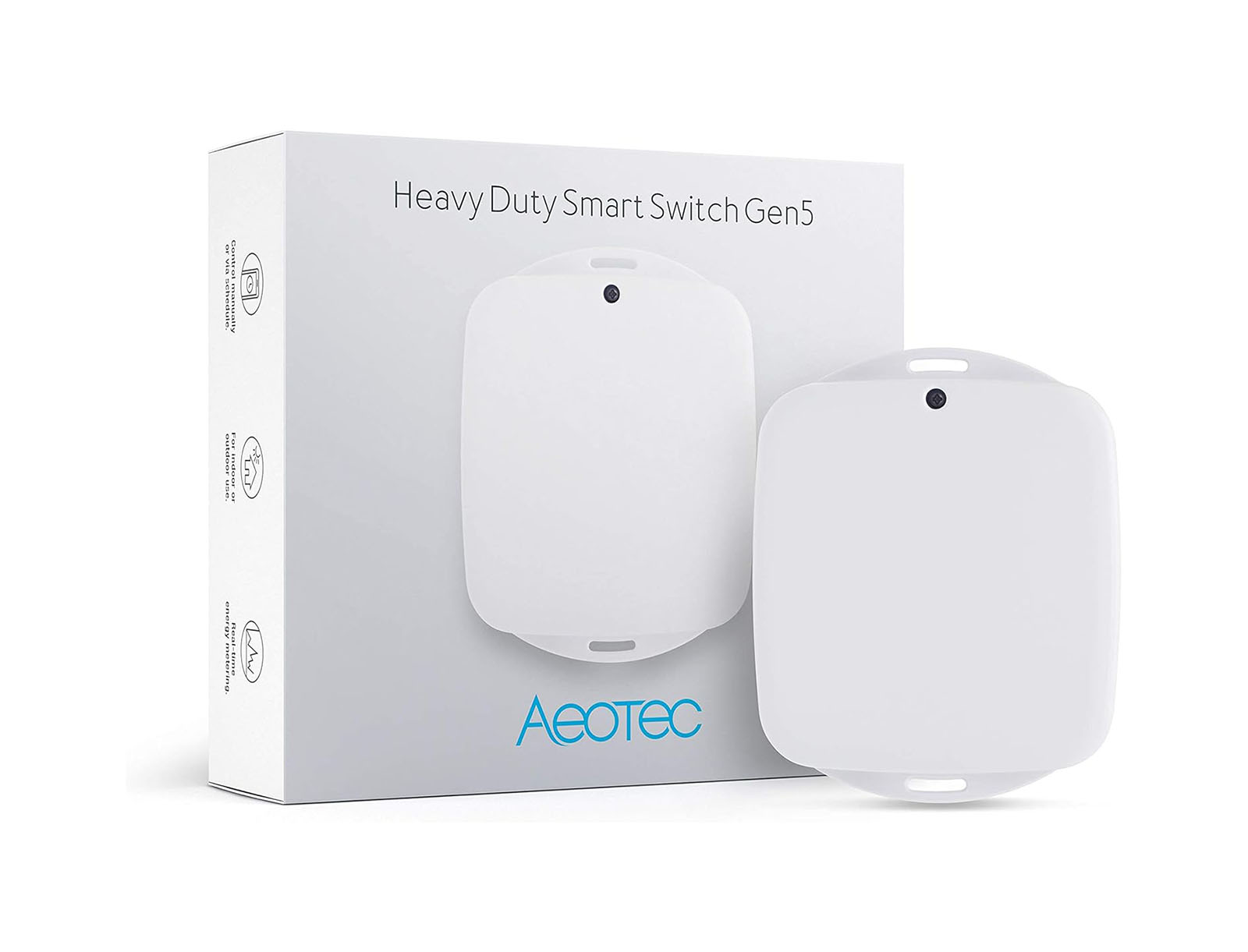
For most short-term rentals, a smart switch + contactor design remains the most serviceable and reliable approach.
Who Should Consider Well Control Automation?
This setup is especially valuable if your property:
- Uses a private well
- Experiences freezing temperatures
- Sits vacant between bookings
- Is remotely located
- Has high rebuild or restoration costs
For short-term rentals, well automation is one of the highest-ROI safety upgrades available.
Adding automated well control to your smart home transforms how water risk is managed at a short-term rental. Instead of relying on periodic checks or hoping nothing goes wrong while the home is vacant, automation ensures the well only operates when it’s truly needed.
When paired with calendar-based automation, well control becomes a powerful layer of protection—reducing risk, protecting your investment, and enabling truly hands-off operation.
Your well doesn’t need to run when no one is home. Rental Home Automator connects your booking calendar directly to critical smart devices—like well control and water shutoff—so your property protects itself automatically.



)
&description=&image=https://www.rentalhomeautomator.com/wp-content/uploads/hosting_rentalhomeautomator_com_files/2025/02/filling-water-water-from-a-can.jpg)