Airbnb automation for beginners can feel overwhelming at first. A lot of hosts start by buying a few smart devices, connecting an app or two, and hoping it all works together—but the best results come from starting with the right foundation, not just random gadgets.
The goal isn’t to make your rental feel like a high-tech experiment.
The goal is to make it easier to manage, more efficient to run, and more reliable between guest stays.
If you want the full strategy behind Airbnb smart device automation, start with our complete guide. This article is designed for hosts who want a simpler question answered first:
How do I actually get started with Airbnb automation?
What Airbnb Automation for Beginners Really Means
Before you start buying devices, it helps to understand what Airbnb automation actually is.
Automation in a short-term rental means using smart devices and automation logic to help your property respond to:
- guest arrivals
- guest departures
- vacancy periods
- common operational tasks
That can include things like:
- adjusting the thermostat automatically
- preparing the property before check-in
- reducing energy use after checkout
- monitoring for problems while the property is empty
The important part is this:
Airbnb automation is not just about remote control.
It’s about reducing manual work and helping your property run more smoothly.
That’s also why smart home automation for Airbnb needs a different strategy than a typical smart home setup.
The Biggest Mistake Beginners Make
Most beginners start with the wrong question.
They ask:
“What smart devices should I buy?”
But the better question is:
“What do I want my rental to do automatically?”
That shift matters.
Because the best Airbnb automation setup is not the one with the most devices.
It’s the one that solves the most useful problems.
For most hosts, those problems usually involve:
- guest access
- thermostat control
- energy waste
- vacancy protection
- reducing repetitive tasks
If you focus on those first, your automation setup will usually be much more useful—and much easier to manage.
What to Automate First in an Airbnb
If you’re just starting out, you do not need to automate everything.
In fact, the smartest way to begin is to automate the fewest things that create the biggest impact.
For most short-term rentals, that means starting with these three areas:
1. Guest Access
Access is one of the most obvious places to start.
Why?
Because it solves real operational problems right away:
- fewer key handoffs
- easier guest entry
- less manual coordination
- more control over who can access the property
This is often the first automation category hosts implement because it immediately reduces friction.
2. Thermostat Control
HVAC is one of the biggest ongoing costs in a short-term rental.
That makes temperature management one of the best beginner automations because it can help with:
- guest comfort before arrival
- energy savings after checkout
- vacancy efficiency between stays
If you’re deciding which device to start with, our guide to the best smart thermostat for Airbnb is a good next read.
3. Water Control / Leak Monitoring / Property Protection
This is the automation category many new hosts overlook—but it can be one of the most valuable.
A rental property often sits empty between stays, and small problems can turn into expensive ones fast.
That’s why beginners should think beyond “cool smart home features” and prioritize things that protect the property too. These include:
- Automatic water shutoff
- Leak sensors with alerts
- Freeze prevention
Our highest recommendation is to implement a water valve automation system that ensures the water is always off when the property is vacant.
The Best Beginner Airbnb Automation Setup
If you’re trying to keep things simple, here’s the easiest way to think about it:
Your first automation setup should help your rental do three things:
- Be ready before a guest arrives
- Run reliably during a stay
- Protect itself while vacant
That’s it.
If your first setup can do those three things, you’re already ahead of most hosts.
That’s also why many of the best Airbnb beginner automation strategies revolve around simple, reservation-aware workflows instead of trying to automate every possible device at once.
If you want a more practical breakdown of what gets automated at each stage, read What Can I Automate in My Airbnb?
How to Start Without Overcomplicating It
One of the easiest ways to fail with Airbnb automation is to do too much too fast.
A better beginner approach looks like this:
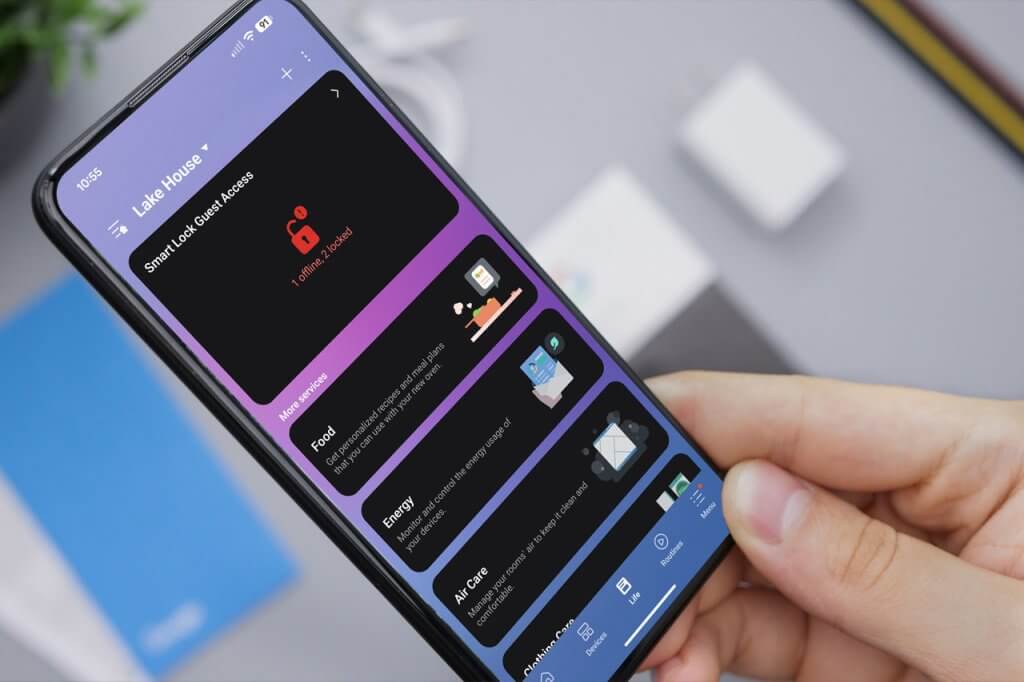
Step 1: Choose a smart home platform
Pick a platform that can support the devices you want and is stable enough for rental use. If you’re new to smart home platforms, Samsung SmartThings is one of the major ecosystems hosts often explore when building an automation setup.
If you’re comparing ecosystems, our guide to why SmartThings is the best smart home platform for your Airbnb can help you understand why platform choice matters early.
Many smart home devices today are built around standards like Matter, which are designed to improve compatibility between products from different manufacturers. You can learn more about that on the official Matter website.
Step 2: Start with one or two useful automations
Do not try to automate the entire property immediately.
Instead, start with a small number of workflows that solve real problems.
Examples:
- prepare temperature before arrival
- reduce HVAC usage after checkout
- keep monitoring active while vacant
Step 3: Build around your booking flow
This is where many beginner setups go wrong.
A normal smart home might rely on:
- schedules
- motion
- household routines
But short-term rentals should be built around:
- reservations
- check-in timing
- checkout timing
- vacancy periods
That’s one of the biggest reasons calendar-based rental automation is so valuable for Airbnb hosts. And what makes Airbnb automation for beginners easy.
What Not to Do When You’re Starting
Some beginner mistakes are easy to avoid once you know what to look for.
Avoid these common mistakes:
1. Buying too many devices too fast
A bigger setup does not automatically mean a better setup.
2. Automating things that don’t matter
Start with operational value, not novelty.
3. Using only schedules
Schedules often break down in short-term rentals because guest timing changes.
4. Creating automations that can confuse guests
If guests notice your automations for the wrong reasons, that’s usually not a good sign.
5. Ignoring vacancy protection
A lot of the value of automation happens when nobody is there.
The Best Airbnb Automation Strategy for Beginners
The best beginner strategy is not to make your rental “smart.”
It’s to make it easier to run.
That means starting with automations that help with:
- access
- comfort
- energy savings
- vacancy protection
- consistency between stays
That’s why the strongest beginner setups usually focus on:
- a few high-value devices
- a few reliable workflows
- and automation that follows your booking calendar instead of random routines
If you want to see the bigger picture, our complete guide to Airbnb smart device automation is the best next step.
If you’re just getting started, the best thing you can do is keep your setup simple and useful.
You do not need to automate everything on day one. The best Airbnb automation for beginners strategy is to start small, automate what matters most, and build from there.
You just need to automate the things that make the biggest difference:
- helping guests arrive smoothly
- keeping the property comfortable
- reducing waste
- protecting the rental between stays
That’s the foundation of a smart Airbnb setup that actually helps you run the property better.
Ready to Start Automating Your Airbnb?
See how Rental Home Automator helps hosts automate the most important parts of running a short-term rental.