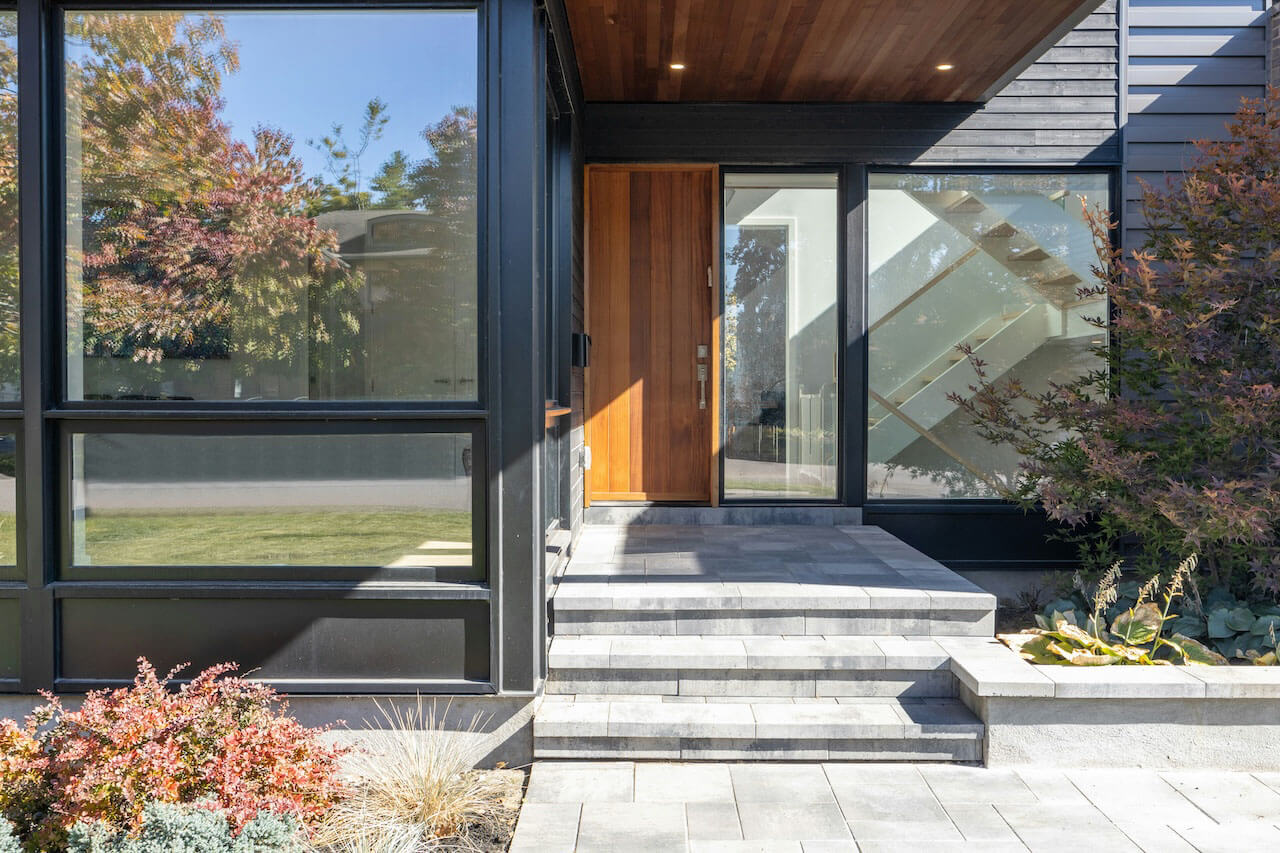
When managing a short-term rental or Airbnb, rental lock automation should be one of your top priorities. The entry experience is one of the first things a guest notices, and it can make or break the beginning of their stay.
But rental lock automation is not just about installing a smart lock.
The real goal is to automatically manage access based on reservations, cleaning schedules, maintenance visits, owner stays, and checkout times. Guests should receive unique codes. Cleaners should only have access when they need it. Old codes should be removed. Backup access should exist before there is a problem.
If you are building a complete smart rental system, lock automation is one of the core pieces of short-term rental automation.
Rental Lock Automation Is More Than a Smart Lock
One of the biggest mistakes hosts make is assuming that installing a smart lock automatically solves access management.
It does not.
A smart lock is hardware. Rental lock automation is the system that decides who should have access, when that access should start, when it should end, and what should happen when reservations change.
At a typical short-term rental, access needs constantly change:
- Guests check in and out
- Cleaners need temporary access
- Maintenance vendors need scheduled access
- Owners may stay occasionally
- Reservations get modified or canceled
- Backup access may be needed during lock or internet failures
Managing those changes manually becomes harder as bookings increase. It may be manageable for one property, but it becomes a real operational problem as soon as you add more properties, more locks, shared entrances, or multiple people who need different types of access.
Rental lock automation solves this by connecting your locks to your reservation calendar and operational workflows. Instead of manually creating and deleting codes, the system automatically manages access based on occupancy and scheduled events.
Why Rental Lock Automation Delivers One of the Highest Returns on Investment
Most smart home upgrades improve convenience.
Rental lock automation improves operations.
Every reservation creates access management work. Guests need codes. Cleaners need access. Maintenance vendors need temporary entry. Owners may need access between stays.
Without automation, those tasks become repetitive administrative work that must be completed correctly every single time.
Rental lock automation reduces manual effort while improving security.
Hosts spend less time managing codes, guests receive a smoother arrival experience, and access automatically changes when reservations change.
For many short-term rentals, lock automation is the first automation investment that pays for itself through time savings alone.
Why Short-Term Rentals Need a Different Lock Strategy
A normal homeowner usually has a small number of people who need access. A short-term rental is completely different.
Every reservation creates a new temporary access need. Each checkout creates a security event. Cleaner visits create another access window. And canceled reservations create a code that should no longer work.
That is why short-term rental lock automation needs to do more than simply unlock a door from a phone. It needs to support the way rental properties actually operate.
An effective system should help you answer questions like:
- Did this guest receive a unique code?
- When does the code become active?
- When does the code expire?
- Did the cleaner have access during the turnover window?
- Are there old or unknown codes still sitting on the lock?
- What happens if the guest cannot get in?
This is why we believe smart locks should be managed as part of a broader rental automation strategy rather than treated as a standalone gadget.
Keypad Locks vs. Smart Locks for Short-Term Rentals
Basic keypad locks are better than traditional keys, but they are not the same as true rental lock automation.
A simple keypad lock usually gives you a way to set a code. That is helpful, but it still leaves the host responsible for changing codes, communicating codes, removing old codes, and checking whether access is still secure.
A connected smart lock gives hosts far more control.
- Create unique codes for each reservation
- Control and monitor entry remotely
- Lock and unlock doors from anywhere
- Receive lock status and battery alerts
- Automatically disable guest codes after checkout
- Coordinate guest, cleaner, owner, and maintenance access
For a short-term rental, this difference matters. Static codes are easy, but they are also a security risk. If every guest uses the same code, you have no real control over who can still access the property after checkout.
Why Calendar-Based Lock Automation Matters
The best rental lock automation systems do not just manage locks. They manage reservations.
When a guest books your property, the system should automatically:
- Create a unique access code
- Activate the code before check-in
- Keep the code active during the stay
- Deactivate or remove the code after checkout
When a reservation changes, the lock access should change too.
This is where many smart home platforms fall short. They can control locks, but they do not understand reservations. A general smart home app may know whether a door is locked, but it does not know that a guest extended their stay, that a cleaner is arriving at 11:00 AM, or that a reservation was canceled.
That is why calendar-based automation is so important for short-term rentals. The booking calendar should drive the access schedule.
Z-Wave vs. Wi-Fi Locks: Which Is Better?
When choosing a smart lock for a rental property, connectivity matters.
Many smart locks use either Wi-Fi or Z-Wave. Both can work, but we strongly prefer Z-Wave for mission-critical rental locks whenever possible.
Wi-Fi Locks
Wi-Fi locks can be simple to install because they usually connect directly to the property’s wireless network. That makes them attractive for hosts who want the easiest possible setup.
The downside is reliability.
At short-term rentals, guest Wi-Fi networks are busy. Guests stream video, connect phones, use laptops, play games, and sometimes unplug or reset equipment. If your lock depends heavily on that same network, you are adding risk to one of the most important systems at the property.
Z-Wave Locks
Z-Wave locks communicate through a dedicated smart home mesh network instead of relying directly on guest Wi-Fi. The Z-Wave Alliance describes Z-Wave as an interoperable wireless technology used for control, monitoring, and status reading applications.
For short-term rentals, we like Z-Wave because it is typically more battery efficient, more reliable for locks, less dependent on guest Wi-Fi traffic, and better suited for critical rental infrastructure.
For a deeper breakdown, read our full article on why Z-Wave still wins for smart lock technology.
SmartThings and Rental Lock Automation
We are big fans of SmartThings for short-term rental automation because it supports a wide range of Z-Wave, Zigbee, and Matter devices. The official SmartThings platform is one of the most flexible smart home ecosystems available for hosts who want broad device compatibility.
But SmartThings alone was not built specifically for short-term rentals.
It can control devices, but it does not automatically understand Airbnb reservations, Vrbo bookings, cleaner calendars, owner stays, or turnover windows. That creates a gap between smart home control and rental operations.
This is where Rental Home Automator fits into the system. SmartThings handles device connectivity. Rental Home Automator adds the rental-aware automation layer that connects reservations to your smart locks and other devices.
If you already use SmartThings for locks, read our article on SmartThings guest access limitations and better ways to manage lock codes.
Common Rental Lock Automation Mistakes
Using the Same Access Code for Every Guest
This is one of the most common security mistakes in short-term rentals. Every reservation should receive a unique code whenever possible.
Relying Exclusively on Manual Code Management
Manual code management works until it does not. It is easy to forget to delete an old code, mistype a code, or update one lock but forget another.
Choosing a Lock Without a Backup Entry Plan
Every lock system eventually has a problem. A battery dies. A guest mistypes a code. A hub goes offline. A device fails to update.
This is why we strongly recommend having a backup entry plan before the first guest ever arrives.
Relying Exclusively on Wi-Fi Locks
Wi-Fi locks can work, but we do not like depending on guest Wi-Fi for mission-critical access whenever there is a better option.
Treating Cleaners Like Guests
Cleaners typically need recurring access rather than reservation-based access.
Many hosts initially create and delete cleaner codes manually. That works until cleaners change, schedules shift, or multiple properties are involved.
A better approach is using dedicated cleaner access that can be managed separately from guest access. With Rental Home Automator you can have cleaning events that program codes, or you can use Code Scheduling to ensure the cleaning staff can only access the house during the day.
Always Provide a Backup Entry Option
No matter how advanced your smart lock is, it is critical to have a backup plan.
We recommend one of two backup options:
- Option 1: Choose a smart lock that includes a traditional keyhole and keep a backup key in a secure lockbox on-site.
- Option 2: Provide an alternate entry point, such as a side door, garage entry, or secondary lock.
Clear instructions matter too. A backup option is only useful if the guest or support person can understand it quickly during a stressful situation.
Keep the Guest Experience Simple
Not every guest is tech-savvy.
A smart lock that seems obvious to you may confuse a guest arriving after dark, tired from travel, carrying luggage, and trying to enter a code in bad weather.
The best rental lock automation systems are simple, intuitive, and reliable.
- Easy to use for guests of all ages
- Clearly covered in your check-in instructions
- Well lit at night
- Reliable in bad weather
- Supported by a backup entry option
We generally prefer locks with physical buttons or a very clear keypad experience. Touchscreens can look modern, but they are not always ideal for every guest or environment.
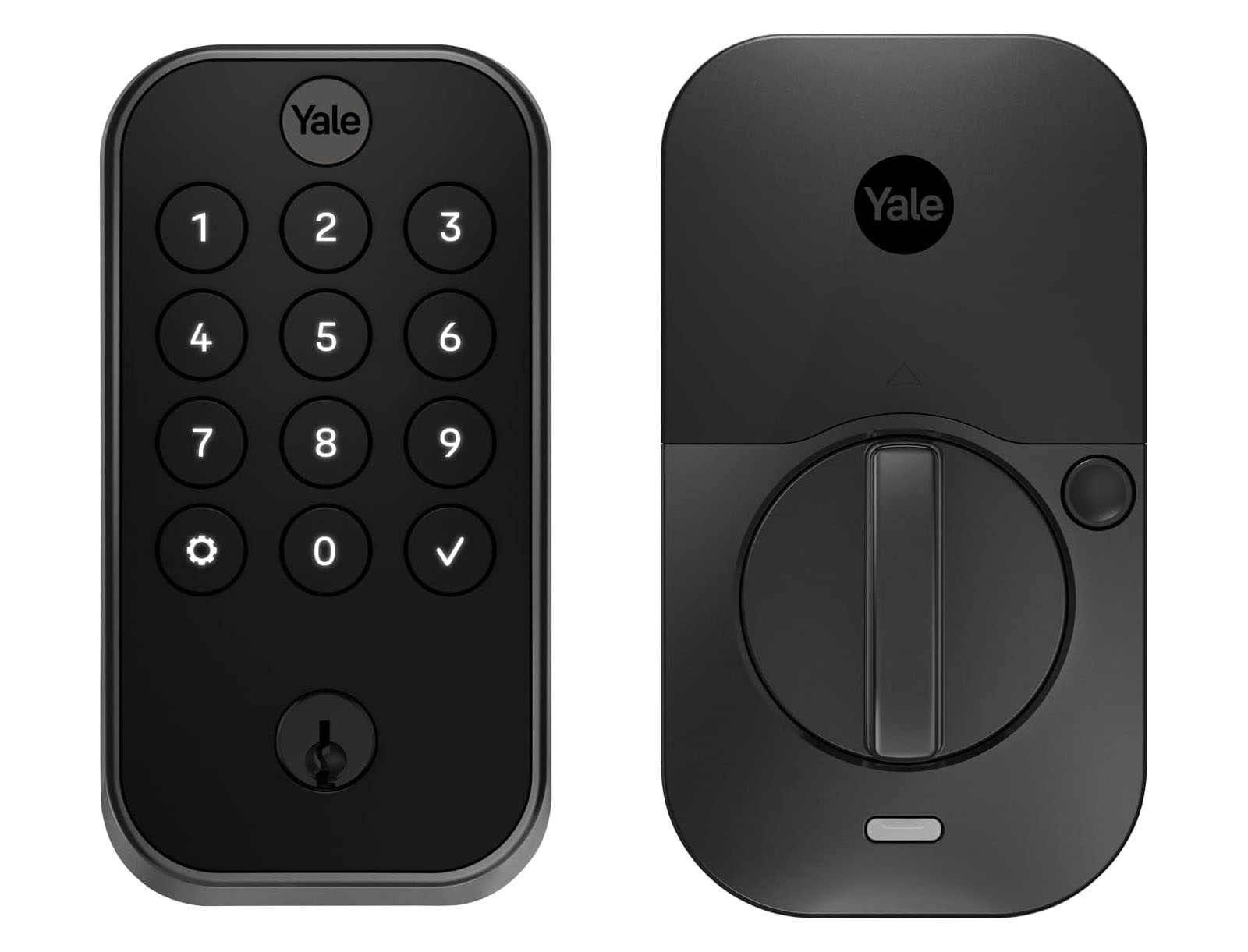
Recommended Lock: Yale Assure 2 With Z-Wave and Key Backup
Our top recommendation for rental lock automation is the Yale Assure Lock 2 with Z-Wave and a physical key backup.
We like it because it strikes the right balance between smart functionality and practical reliability.
- Z-Wave compatibility
- Strong SmartThings support
- A clean guest experience
- Reliable performance
- Good battery life
- The safety net of a physical key
For more detail, read our full article on why the Yale Assure 2 is our favorite smart lock for short-term rentals.
How Rental Home Automator Improves Lock Code Management
Installing a smart lock is only the first step. For true rental lock automation, the lock needs to be connected to your reservation workflow.
Rental Home Automator helps hosts automatically manage lock access around booking calendars. Depending on your setup, this can include guest codes, cleaner codes, maintenance access, owner stays, and shared entry locks.
- Create guest codes automatically for reservation windows
- Remove or disable guest access after checkout
- Coordinate cleaner and maintenance access
- Manage multiple locks and properties
- Reduce manual lock code work
- Improve security by avoiding static guest codes
External Lock Codes
One challenge with smart locks is that codes can be created by multiple systems. Rental Home Automator’s External Lock Codes feature helps hosts see and manage codes that exist on supported locks, including codes not originally created by Rental Home Automator.
Master Door Codes
Not every code should be tied to a guest reservation. Rental Home Automator’s Master Door Codes feature helps centralize access for cleaners, owners, managers, and trusted maintenance contacts.
Final Thoughts
Rental lock automation is one of the most important smart home upgrades a short-term rental host can make, but the lock itself is only part of the system.
The real value comes from automatically managing access around reservations.
Guests need unique codes. Cleaners need scheduled access. Maintenance workers need temporary access. Old codes need to be removed. Backup entry needs to exist before there is an emergency.
A good rental lock automation system improves security, reduces manual work, prevents code mistakes, and creates a smoother guest experience from the moment someone arrives at the property.
If you are building a complete automation system for your Airbnb or vacation rental, start with the front door — but do not stop at the lock.
Most hosts think smart locks are about replacing keys.
We think they’re about automating access.
A lock is simply the hardware. The real value comes from automatically managing who can enter the property, when they can enter, and ensuring that access changes automatically as reservations change.
That’s the difference between a smart lock and rental lock automation.
Get started today with a free 14-day trial
and see how Rental Home Automator can simplify guest access, cleaner access, lock code management, and smart device automation across your rental properties.