Choosing the best smart thermostat for Airbnb is one of the most impactful hardware decisions a short-term rental host can make. The right thermostat protects your HVAC, keeps energy costs under control, and removes an entire category of guest complaints — all while you manage the property remotely. The wrong one creates friction, confusion, and expensive surprises.
After testing and comparing the leading options — including Nest, Honeywell, and the full ecobee lineup — our top recommendation for short-term rental and vacation rental properties is the ecobee Smart Thermostat Essential. Here’s why it wins, what the alternatives get wrong, and how to set up whichever thermostat you choose for STR use.

What Makes a Smart Thermostat Good for Airbnb?
Most smart thermostats are designed for homeowners with predictable routines — they learn your schedule, adapt over time, and optimize for a single household. That model breaks down entirely in a short-term rental. Guests cycle in and out every few days, have no predictable pattern, and have no stake in your energy bill.
A good vacation rental thermostat needs to do four things well.
Remote control. You need to check and adjust temperature from anywhere — not just from the same Wi-Fi network as the device. This matters at check-in, check-out, and any time a guest messages about a comfort issue.
Temperature limits. Guests will blast the AC to 60°F or crank heat to 80°F if you let them. A good Airbnb thermostat lets you set minimum and maximum limits that prevent extreme settings while still letting guests adjust within a reasonable range.
Alerts and monitoring. If the HVAC fails, a freeze risk develops, or the unit can’t reach the set temperature, you want an alert before it becomes a complaint or a repair bill. Passive monitoring is one of the most underrated features of a quality rental property thermostat.
Ease of use for guests. Your guests shouldn’t need to read a manual. A confusing interface leads to support calls, frustration, and guests who just bypass the thermostat entirely (by opening windows).
Best Smart Thermostat for Airbnb: ecobee Smart Thermostat Essential
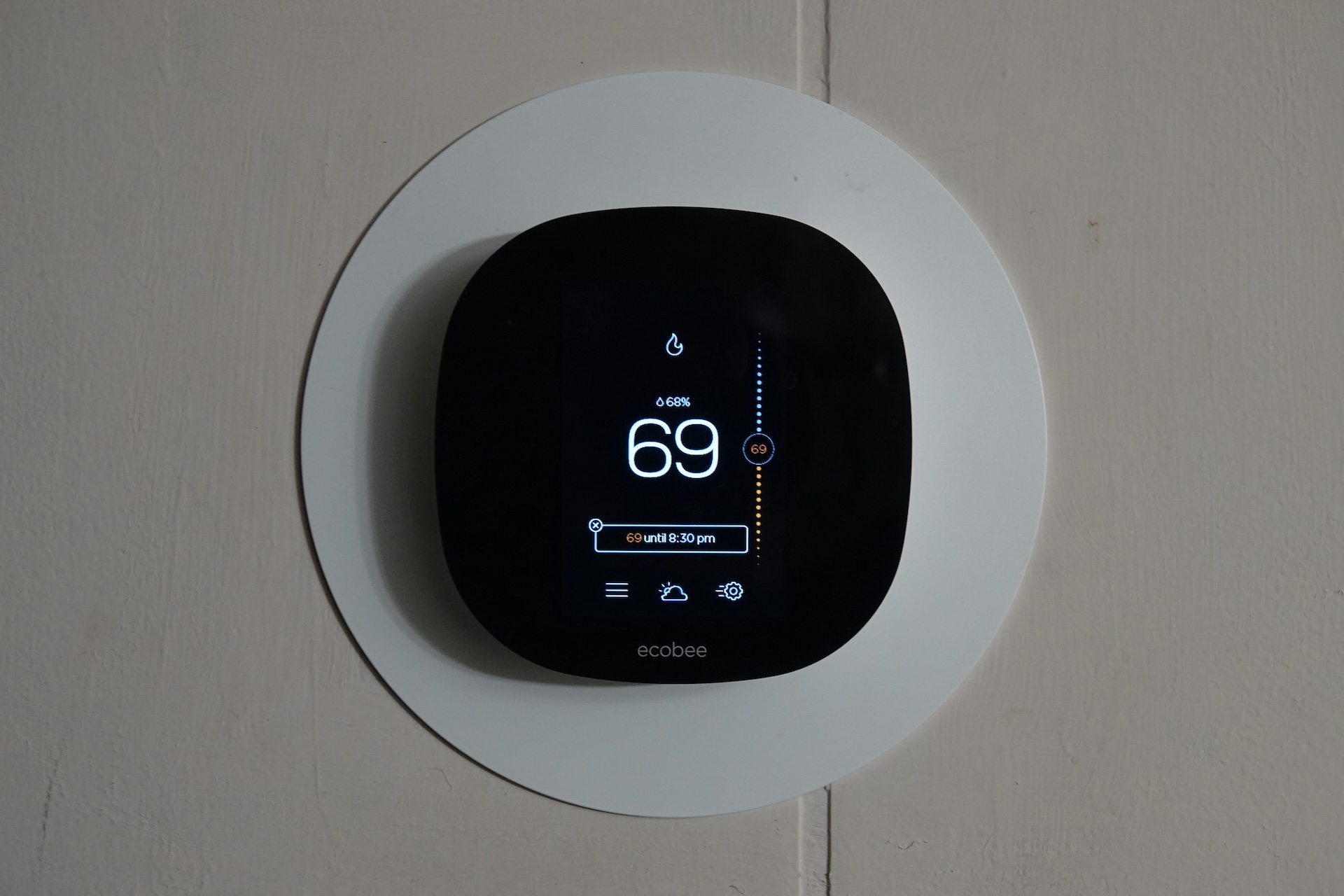
The ecobee Smart Thermostat Essential is our top recommendation for short-term rental and Airbnb properties. It hits every mark above and avoids the specific failure points that make other popular thermostats a poor fit for STR hosting.
Remote Access Without Household Restrictions
One of ecobee’s most practical advantages over Nest is how it handles access sharing. You can grant access to co-hosts, property managers, or maintenance staff without restrictions. Nest limits access to “household members,” which creates real friction for anyone running a property team or managing multiple units.
Temperature Limits That Protect Your Vacation Rental HVAC
The ecobee Essential lets you configure temperature range limits — a maximum cooling setpoint and a minimum heating setpoint. Guests can adjust within that range, but they can’t set temperatures that would freeze your compressor, run your system for hours chasing an unreachable target, or spike your energy costs in a single stay.
Energy Star estimates smart thermostats can save up to $50 per year on energy costs for typical homes — range limits push that number higher for vacation rental properties where guest usage is unpredictable.
HVAC Efficiency Alerts
If your system is failing to reach the desired temperature — a sign something is wrong with the equipment — ecobee will alert you. That means you can dispatch a technician before the guest notices, rather than after they mention it in their review.
Freeze and Maintenance Alerts
For properties in cold climates, the risk of frozen pipes during an unoccupied period is real. The ecobee Essential alerts you if your property’s temperature drops below a threshold you define, giving you time to act before a pipe bursts.
Guest-Friendly Interface
The ecobee display is clean and intuitive. Guests can see the current temperature, adjust the setpoint, and understand what mode the unit is in — without confusion. Compare this to Nest’s dial-based models, which routinely confuse guests who aren’t sure whether they’re changing the temperature or just reading it.
Why Not the ecobee Premium?
The ecobee Smart Thermostat Premium adds air quality monitoring and an enhanced speaker. For an Airbnb, the air quality alerts can work against you — triggering notifications that confuse guests or generate unnecessary support calls. The Essential has everything you need for STR management without the noise.
Why Nest Isn’t the Best Smart Thermostat for Vacation Rentals
Nest is the most recognized smart thermostat brand, and it works well for homeowners. For short-term rental hosts, it has a specific set of limitations that make it a poor fit.
Learning features don’t apply. Nest’s core selling point is that it learns your schedule and auto-adjusts. In a vacation rental, there is no consistent schedule to learn. This feature adds no value and can produce unpredictable behavior during guest stays.
Reverts to programmed schedules. Nest has a tendency to override manual holds and revert to its learned schedule. Guests adjust the temperature, leave for dinner, and come back to a unit that has reverted to a setting they didn’t choose. This generates complaints.
Limited access sharing. Nest restricts sharing to household members. This is a real operational constraint for anyone running multiple properties or working with a team.
Confusing dial interface. The classic Nest dial is intuitive once you learn it. For guests who have never used one, it’s often disorienting. The newer Nest Thermostat display-based models are better, but still trail ecobee on guest usability.
Smart Thermostat Comparison for Short-Term Rentals
| Feature | ecobee Essential | ecobee Premium | Nest Thermostat | Honeywell T6 Z-Wave |
|---|---|---|---|---|
| Temperature limits | ✅ Yes | ✅ Yes | ✅ Yes | ✅ Yes |
| Remote access | ✅ Yes | ✅ Yes | ✅ Yes | ✅ Via SmartThings |
| Flexible access sharing | ✅ Yes | ✅ Yes | ⚠️ Household only | ⚠️ Limited |
| HVAC alerts | ✅ Yes | ✅ Yes | ⚠️ Limited | ⚠️ Limited |
| Guest-friendly interface | ✅ Clear display | ✅ Clear display | ⚠️ Dial can confuse | ⚠️ Basic |
| SmartThings integration | ✅ Yes | ✅ Yes | ⚠️ Limited | ✅ Native Z-Wave |
| Best for STR? | ✅ Top pick | ⚠️ Overkill | ❌ Not recommended | ✅ For Z-Wave setups |
What About Z-Wave Thermostats for Short-Term Rentals?
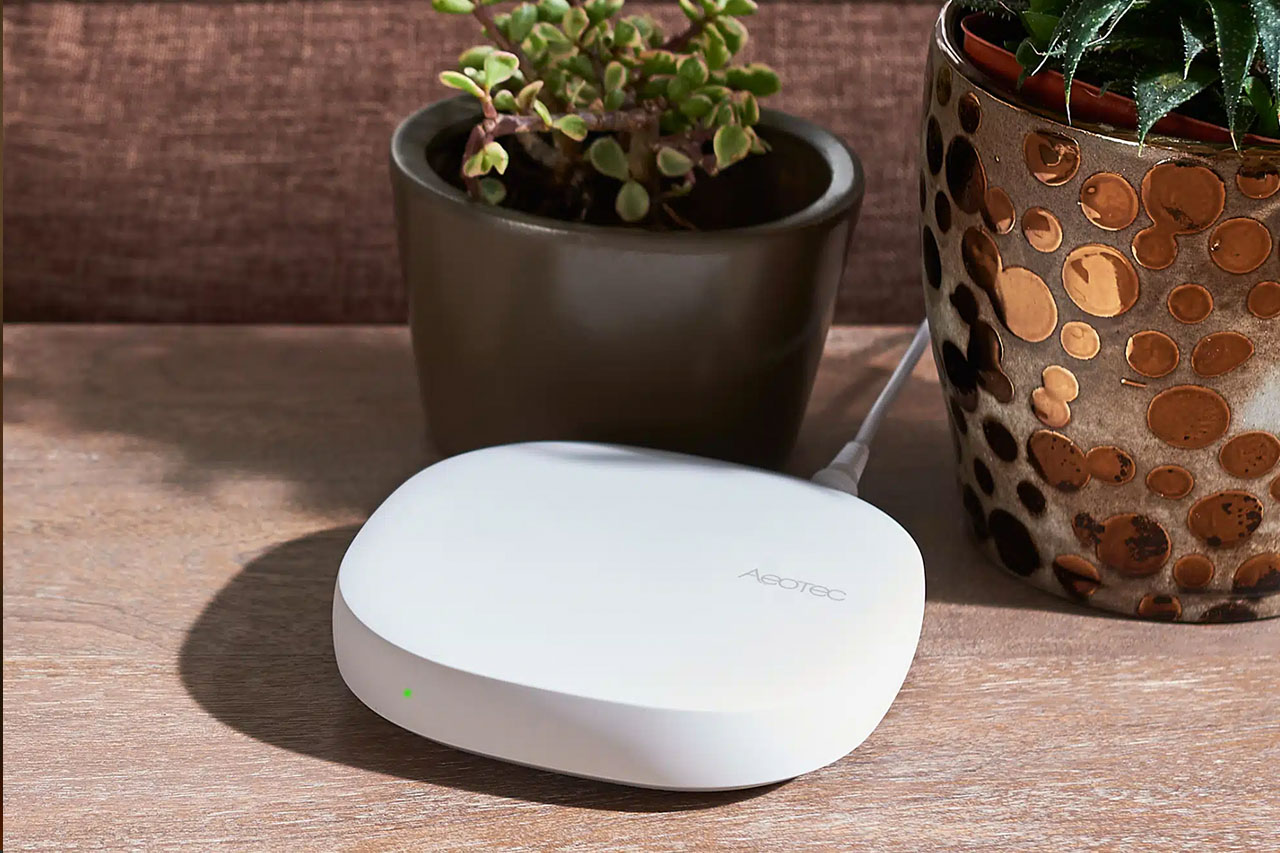
If your rental property already uses a Z-Wave smart home hub — like the Aeotec SmartThings Hub running Rental Home Automator — a Z-Wave thermostat is worth considering. The Honeywell T6 Z-Wave Thermostat integrates directly with SmartThings and, through RHA, can be automated based on your booking calendar. Thermostats shift to an energy-saving mode at check-out and return to a guest-comfortable preset before arrival — without any manual action from you.
For hosts who want booking-calendar automation rather than just remote control, a Z-Wave thermostat connected to a SmartThings hub is the path to get there. See our full guide on thermostat automation for short-term rentals for how this works in practice — it’s part of the broader picture covered in the ultimate guide to short-term rental automation.
How to Set Up Your Airbnb Thermostat for Guest Stays
Installing a smart thermostat is only half the job. Here’s what we recommend for any short-term rental setup.
Configure temperature limits immediately. Don’t wait until you get a high utility bill. Set your minimum and maximum thresholds during installation. For most climates, a guest-controllable range of 65–78°F is a reasonable starting point.
Test remote access before your first guest. Confirm that you can see and adjust the thermostat from your phone remotely, outside your property. This is a different scenario than testing from inside the unit — and it’s the one that matters when something goes wrong.
Check HVAC compatibility before you buy. Not every thermostat works with every system — multi-stage systems, heat pumps, and older wiring all have specific requirements. Use the ecobee Compatibility Checker before purchasing if you’re not certain.
Set a pre-arrival temperature. If you’re managing with a smart home hub and booking-calendar automation, this happens automatically. If you’re managing manually, build a habit of checking and adjusting temperature the morning of check-in. Our guide on how to restrict thermostat changes at your short-term rental walks through the full setup.
Add a house manual entry. Tell guests what range is available to them. A simple “the thermostat can be set between 65–78°F — adjust as needed” line in your house manual eliminates an entire category of questions before they get asked.
Frequently Asked Questions: Smart Thermostats for Airbnb and Vacation Rentals
What is the best smart thermostat for Airbnb in 2026? The ecobee Smart Thermostat Essential is our top pick. It offers remote access, temperature limits, HVAC alerts, and a guest-friendly interface — the four things that matter most for short-term rental hosts. Nest is popular but has restricted access sharing, making it a weaker fit for vacation rental use.
Can I set temperature limits on an Airbnb thermostat? Yes, with the right thermostat. The ecobee Essential and the Honeywell T6 Z-Wave both support temperature range limits. Setting limits prevents guests from extreme settings that wear out HVAC equipment or spike energy costs.
Do I need a smart hub to use a smart thermostat at my vacation rental? Not for basic remote control. Wi-Fi thermostats like the ecobee Essential connect directly to your router and are controlled through their own app. If you want booking-calendar automation — thermostat adjustments that trigger automatically at check-in and check-out — you’ll need a smart home hub and a platform like Rental Home Automator.
Can I automate my Airbnb thermostat based on bookings? Yes. If your thermostat connects to SmartThings — either via Wi-Fi integration or as a Z-Wave device — Rental Home Automator can sync it to your booking calendar. The thermostat shifts to energy-saving mode between stays and returns to a guest-comfortable preset before arrival, automatically.
Is Nest or ecobee better for short-term rentals? For short-term rental use, ecobee wins clearly. The user interface alone is a major differentiator. Nest’s strengths — adaptive learning, design — don’t translate to the STR context, while its weaknesses (restricted sharing, schedule reversion) create real operational problems.
Will guests mess with my rental property thermostat? Some will push limits if they can. The solution is configuration, not avoidance. Set temperature range limits, include a note in your house manual, and consider a Z-Wave thermostat with SmartThings integration if you want full automated control based on occupancy and booking status.
Ready to Automate Your Vacation Rental Thermostat?
A smart thermostat handles remote control and alerting well on its own. When it’s connected to a booking-aware platform, it becomes genuinely hands-off — shifting modes at check-out, resetting before arrival, alerting you only when something actually needs attention.
Read our full guide to thermostat automation for short-term rentals to see how calendar-based thermostat control works in practice.